








Zugang holen

Deine Konsole.Deine Regeln.

Offizielle DemoEchte Demo ansehenDemo-Center öffnen

Wie du spielst, ändert sich jetzt.

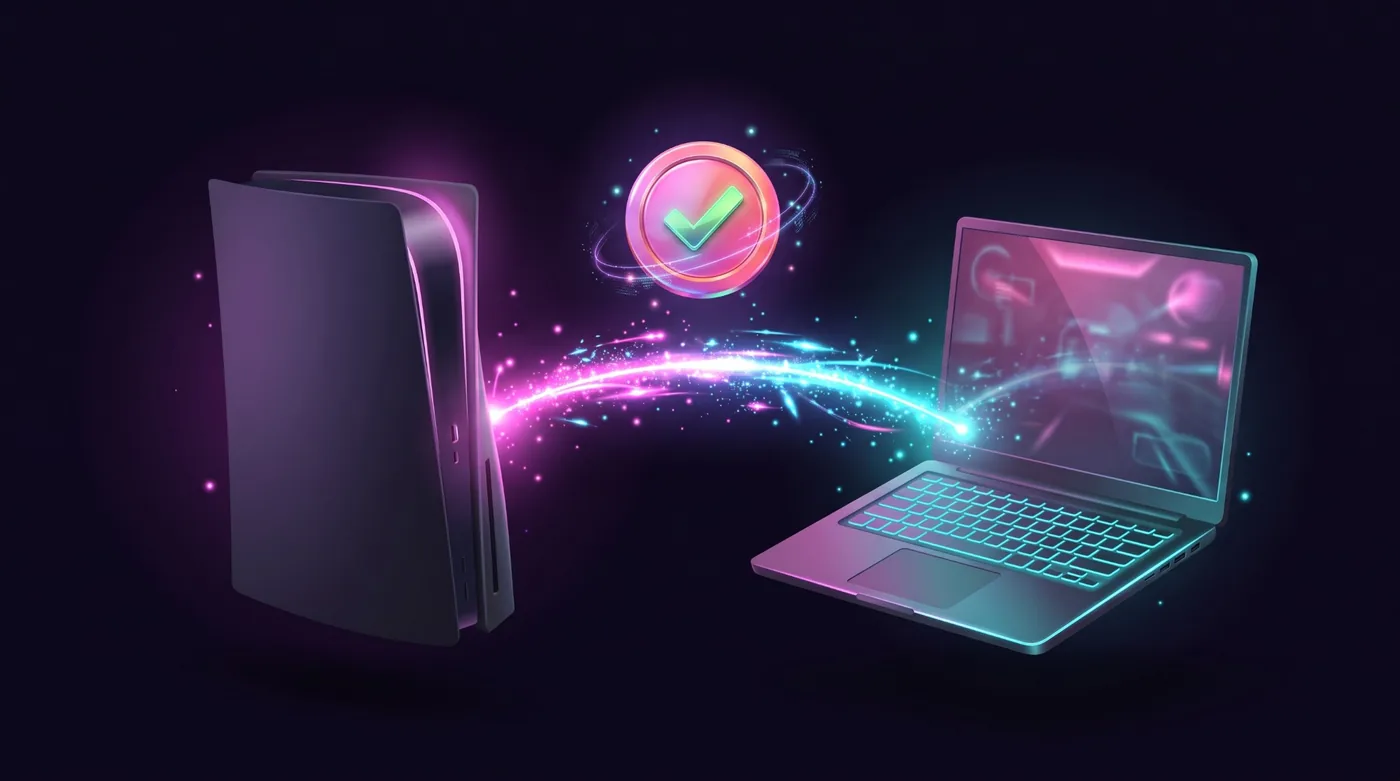
Erlebe eine neue Art, Konsolenspiele mit Tastatur und Maus zu spielen.

Für PlayStation- und Xbox-KonsolenDie Kompatibilität wird pro Konsole und pro Spiel bestätigt. Prüfe erst deine.

Probier's. Drücke W, A, S, D und beweg die Maus.

Scrollen

Much more than keyboard and mouse.

The app has grown. These are the features you use today, shown with the app's own screens.

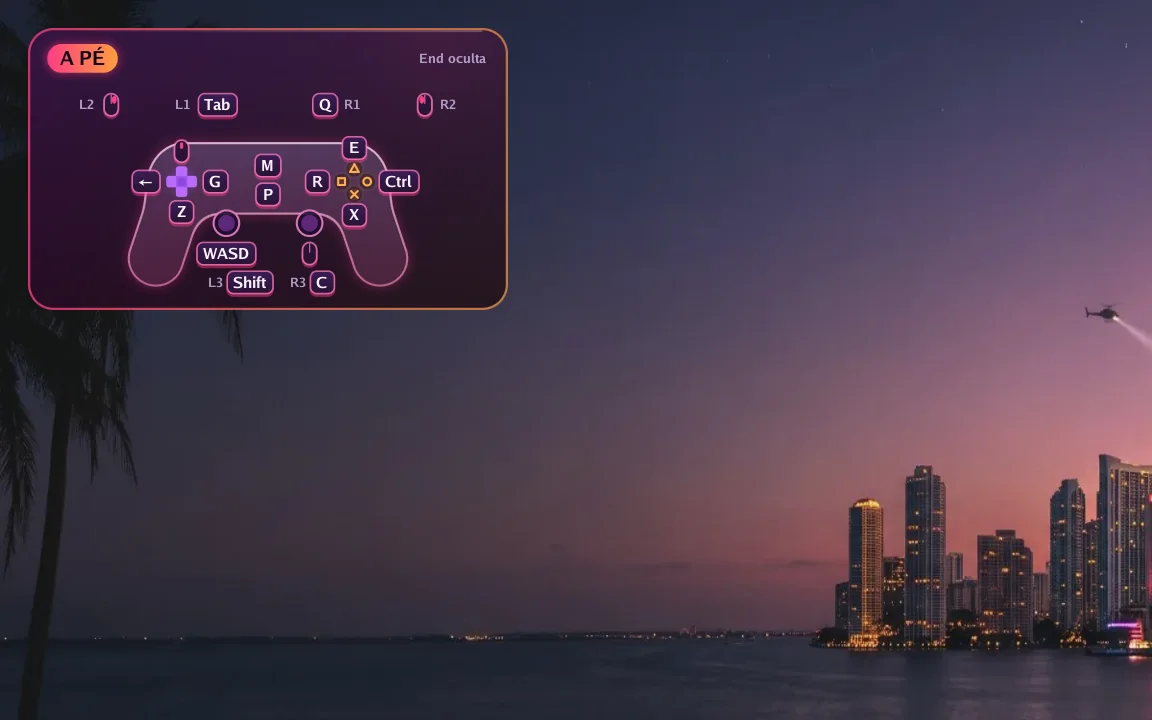
  1. The app's real interface over an example scene.

    In game

    The controller on screen, always right

    A small controller in the corner shows which key does each button right now. Hold F1 to see every key and press End to hide it.

    • Changes with the game situation
    • Notices and tips show over the picture
    • Can be turned off in Preferences
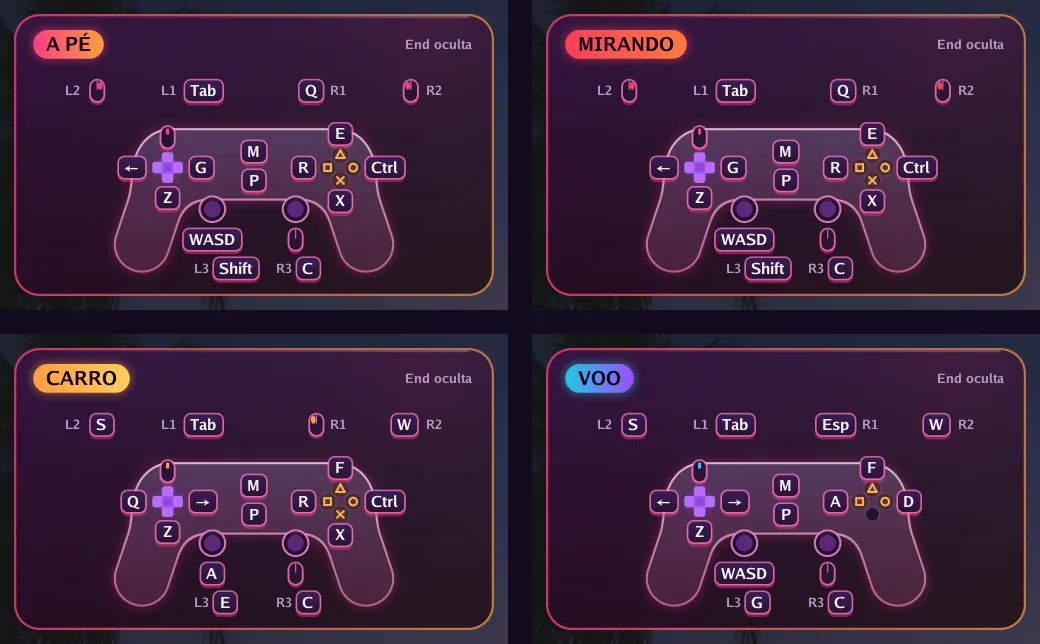
  2. The app's real interface over an example scene.

    Automatic switching

    Got in a car? The keys change by themselves

    On foot, aiming, driving, flying or in a menu: each situation has its own keys, and the app switches on its own. In GTA VI it reads the controller's own signals to know when you get in or out of a vehicle.

    • F6 to F9 correct it at once if needed
    • Works in the 66 games with a ready profile and in GTA VI
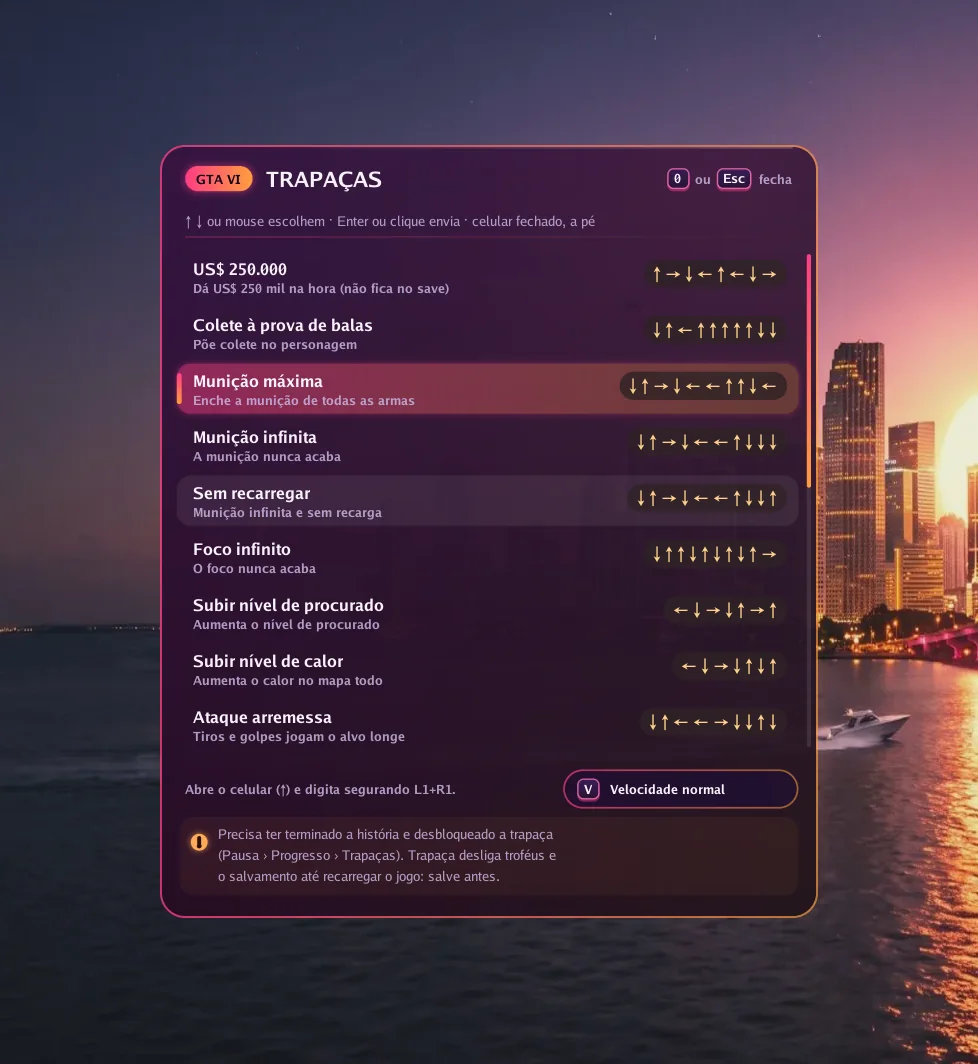
  3. The app's real interface over an example scene.

    GTA VI

    Cheats with one key

    Press 0 in game, pick one of 19 cheats and the app types the button sequence for you, at normal or slow speed.

    • The cheat must be unlocked in the game
    • Needs the Enhanced picture option on
  4. Picture

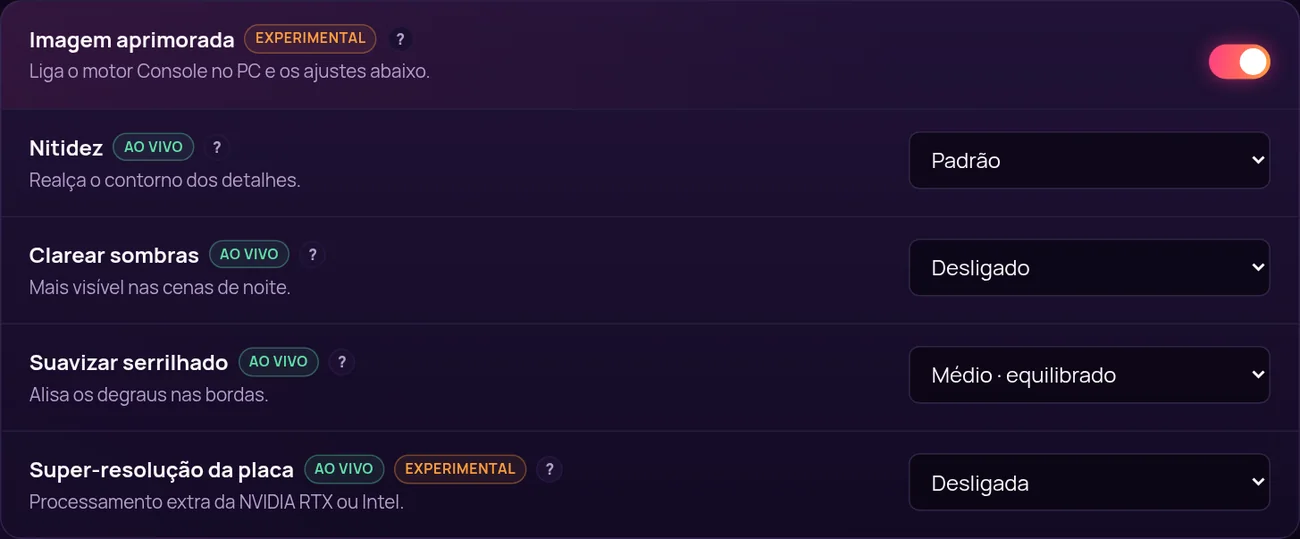
    A sharper picture, tuned live

    With Enhanced picture on, the app uses its own image engine and unlocks settings that change instantly, with the game open.

    • Sharpness, lift shadows and anti-aliasing
    • Graphics card super resolution (NVIDIA RTX or Intel)
    • 10-bit colour and H.265 video
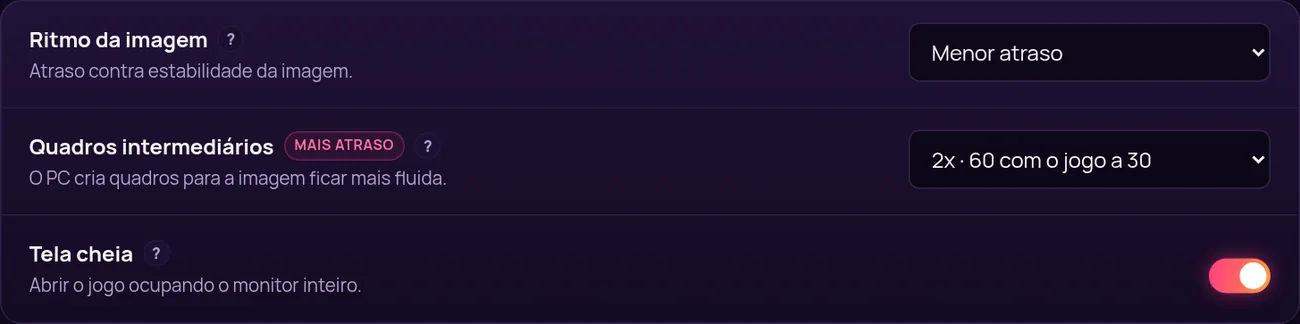
  5. Smoothness

    More frames per second

    Frame generation creates in-between frames: 60, 90 or 120 frames per second with the game at 30. In exchange, response gets about 17, 22 or 25 ms slower, and you decide if it is worth it.

    • 2x, 3x or 4x
    • Frame pacing: lowest delay, balanced or smoother
    • Full screen or window, on the monitor you choose
  6. Your way

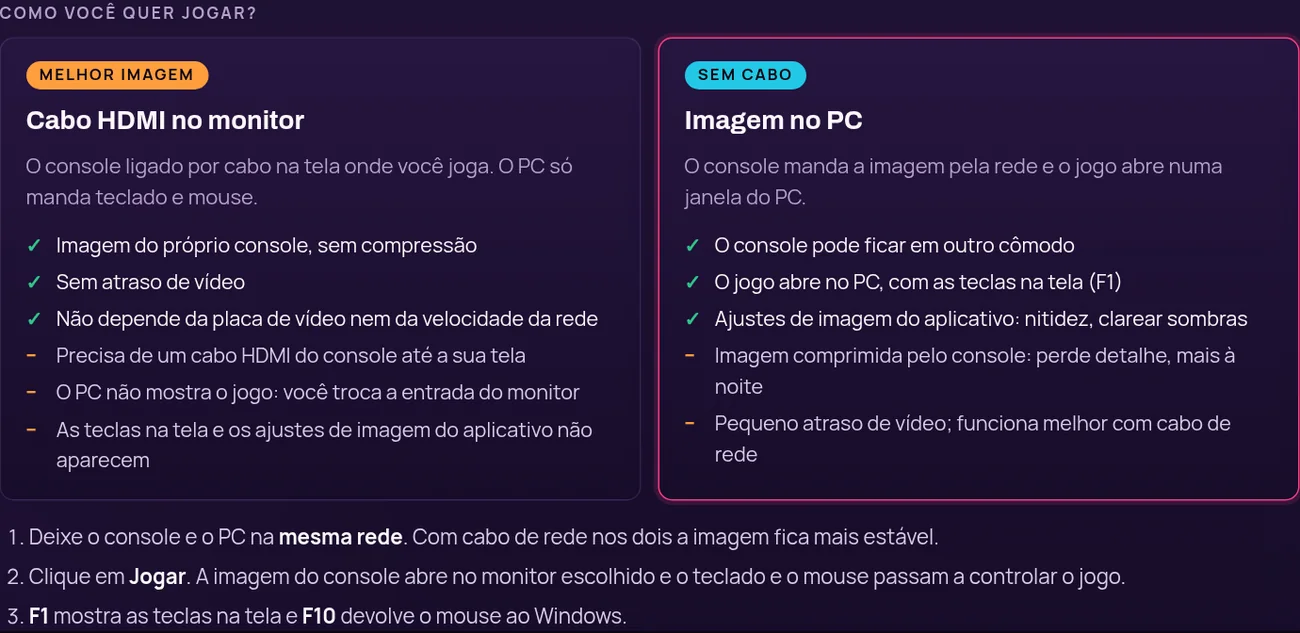
    HDMI cable or picture on the PC

    Plug the console into your monitor with HDMI for the console's own picture with no delay, or get the picture over the network in a PC window, no cable.

    • Resolution up to 1080p, 30 or 60 frames
    • Bitrate up to 100 Mbps
  7. Setup

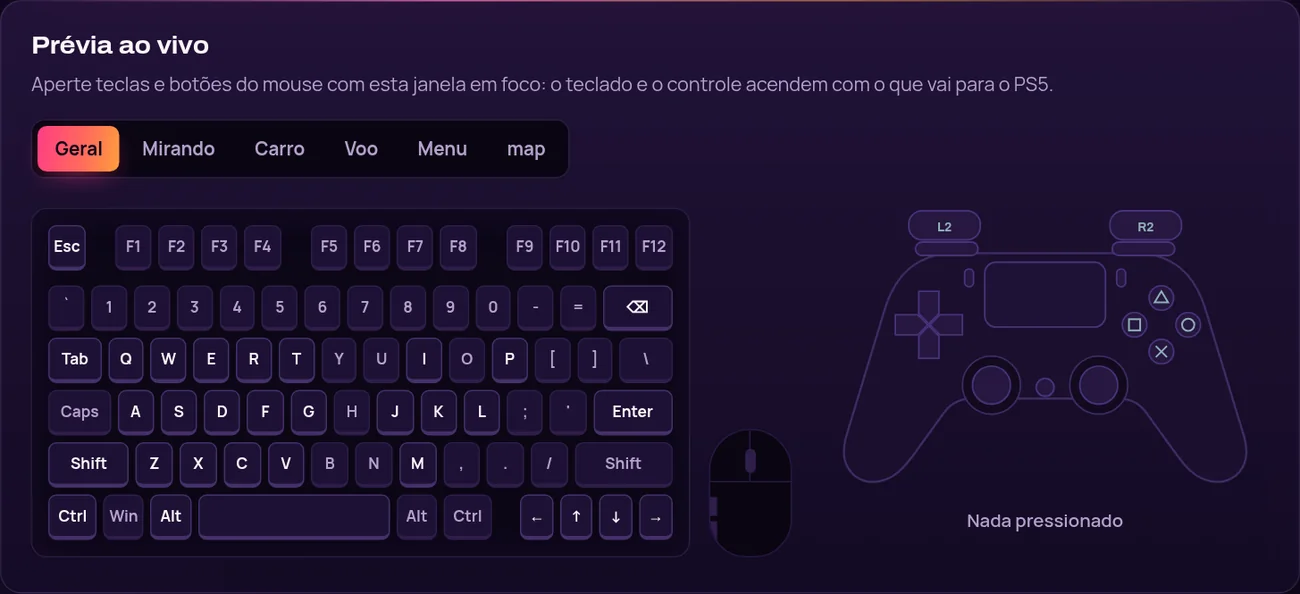
    Your keys, with a live preview

    Click a key and press the new one. While you test, the drawn keyboard and controller light up with what goes to the console.

    • Separate mouse and aim sensitivity
    • Restore defaults at any time

And also

  • Finds the PS5 or Xbox on the network by itself
  • PS5 pairing by PSN name
  • Xbox with your Microsoft account, no password in the app
  • Updates itself and keeps your KEY and settings
  • Windows installer with shortcuts
  • F10 turns control on and off at any time

Sieh den Unterschied. Sieh es in Aktion.

Videos von Console no PC im Einsatz, aufgenommen von unserem Team.

Wissen, bevor du spielst.

Suche nach Konsole, Modell, Spiel und Version. Eine Zeile gilt nur dann als bestätigt, wenn ein veröffentlichter Test daran hängt.

Datenbank öffnen

Vom Kauf zum ersten Tastendruck.

Vier Schritte. Der dritte dauert am längsten, und du machst ihn nur einmal.

  1. Zugang wählen

    Wähle einen Plan danach, wie lange du spielen willst. Zahle online in deiner Währung.

  2. Key erhalten

    Dein Lizenzkey kommt per E-Mail und bleibt in deinem Portal Meine Konsole.

  3. Installieren und aktivieren

    Lade die Windows-Anwendung herunter, gib den Key ein und folge der Einrichtungsanleitung.

  4. Prüfen, verbinden, spielen

    Bestätige deine Konsole und dein Spiel in der Kompatibilitätsdatenbank, dann spiel.

Setup-Videos ansehen

Wähle deinen Zugang.

Ein Produkt, vier Laufzeiten. Jeder Plan enthält Updates, Support und das Portal Meine Konsole.

  • DUO - 2 Zugänge, 30 Tage

    Ein Schlüssel für zwei Windows-PCs, 30 Tage lang.

    Originalpreis: 10,99 $Desconto lançamento · 10 % Rabatt

    Aktionspreis: 9,89 $

    0,16 $ pro Tag und Zugang

    Die Aktion endet am 23. November 2026.

    • 30 Tage Zugang
    • Die komplette Software, ohne dass etwas zurückgehalten wird
    • Updates während der 30 Tage
    • Support per Ticket
  • Empfohlen

    30 Tage

    Ein ganzer Monat, um einzurichten, Tasten und Maus abzustimmen und in deinem Tempo zu spielen.

    8,99 $

    0,30 $ pro Tag und Zugang

    • 30 Tage Zugang
    • Die komplette Software, ohne dass etwas zurückgehalten wird
    • Updates, die in den 30 Tagen erscheinen
    • Support per Ticket
  • 365 Tage

    Ein ganzes Jahr auf einem Key, ohne alle paar Monate neu zu kaufen.

    20,99 $

    0,01 $ pro Tag und Zugang

    • 3650 Tage Zugang
    • Die komplette Software, ohne dass etwas zurückgehalten wird
    • Updates, die in den 365 Tagen erscheinen
    • Support per Ticket

Renews automatically by card, or by a new Pix before each period ends. Cancel any time.

Pläne vergleichen

Deine Konsole. Deine Tastatur. Deine Regeln.