


DUO - 2 個存取,30 天
一組金鑰可用於兩台 Windows 電腦,效期 30 天。
原價: US$10.99Desconto lançamento · 折扣 10%
活動價: US$9.89
每天每個存取 US$0.16
活動於 2026年11月23日 結束。
- 30 天使用期
- 完整軟體,沒有任何功能被保留
- 30 天內的更新
- 客服單支援

The app has grown. These are the features you use today, shown with the app's own screens.
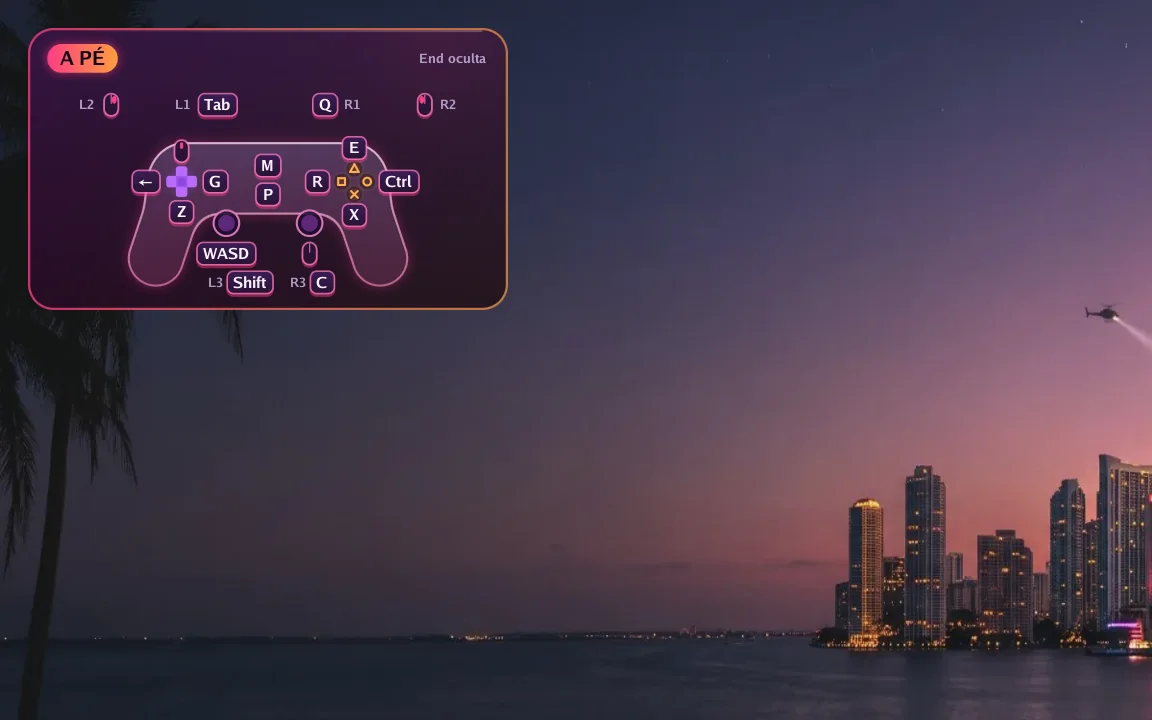
In game
A small controller in the corner shows which key does each button right now. Hold F1 to see every key and press End to hide it.
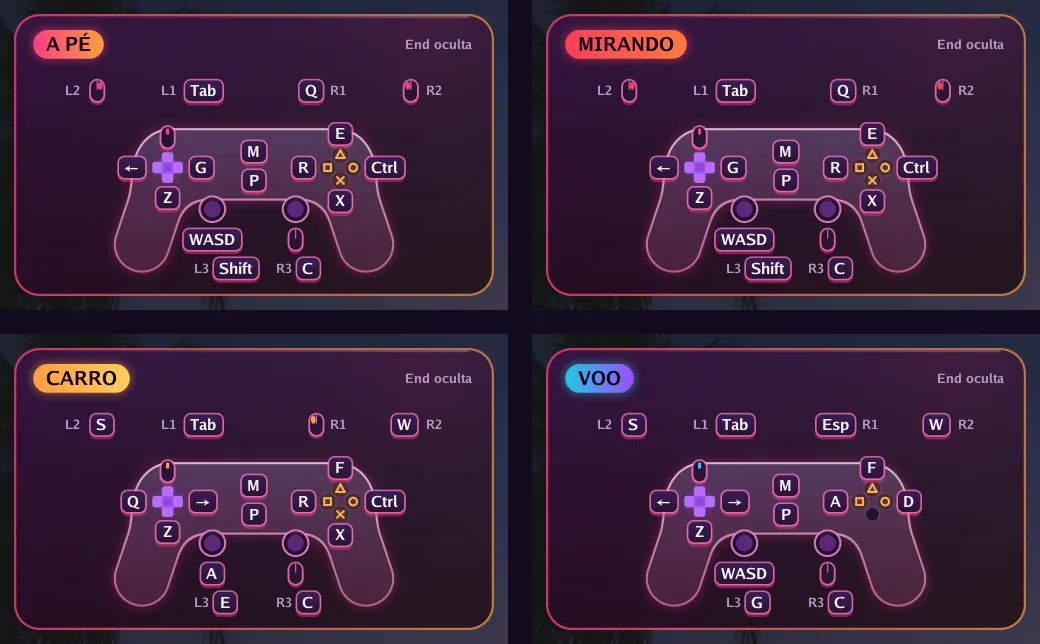
Automatic switching
On foot, aiming, driving, flying or in a menu: each situation has its own keys, and the app switches on its own. In GTA VI it reads the controller's own signals to know when you get in or out of a vehicle.
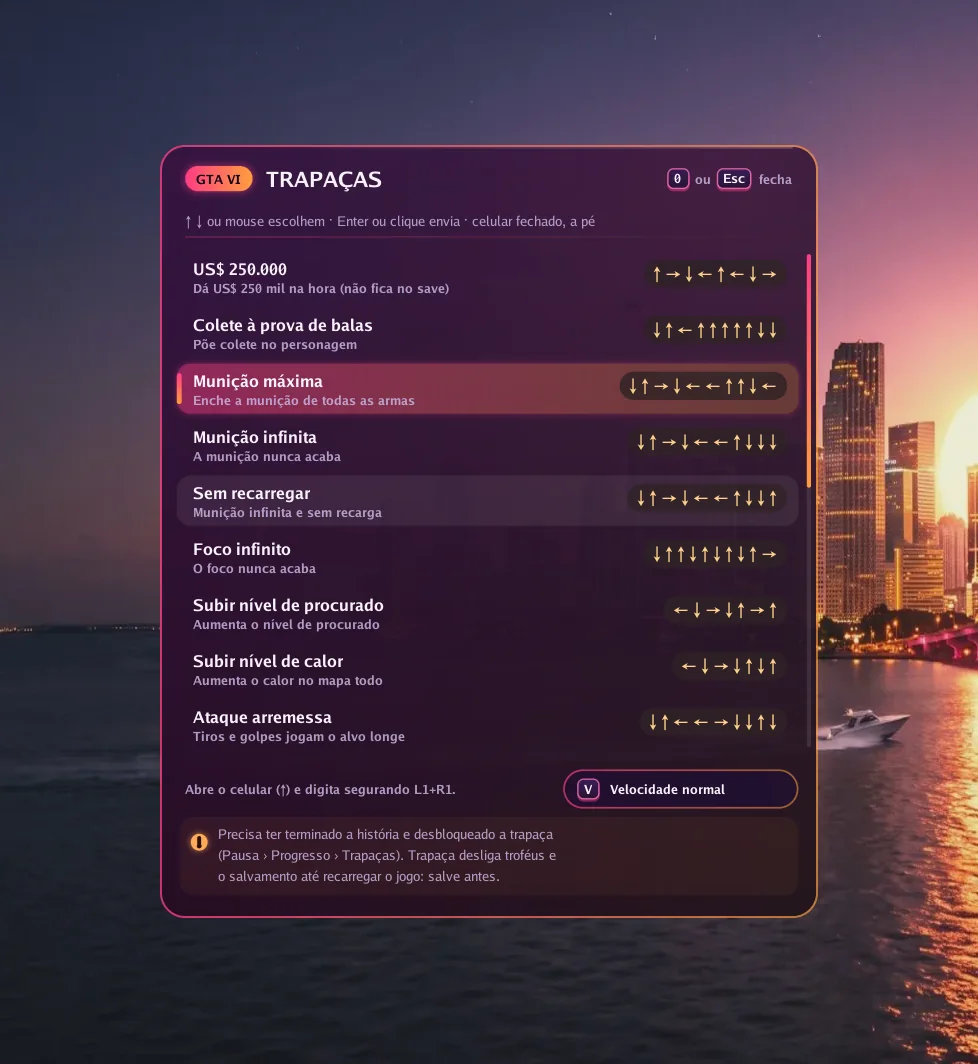
GTA VI
Press 0 in game, pick one of 19 cheats and the app types the button sequence for you, at normal or slow speed.
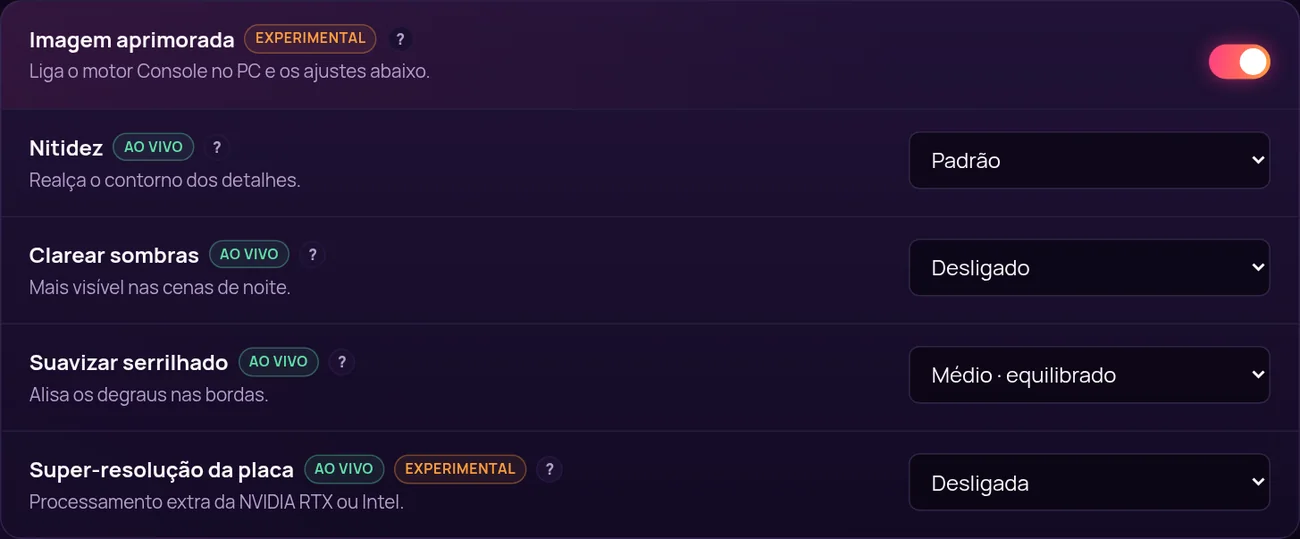
Picture
With Enhanced picture on, the app uses its own image engine and unlocks settings that change instantly, with the game open.
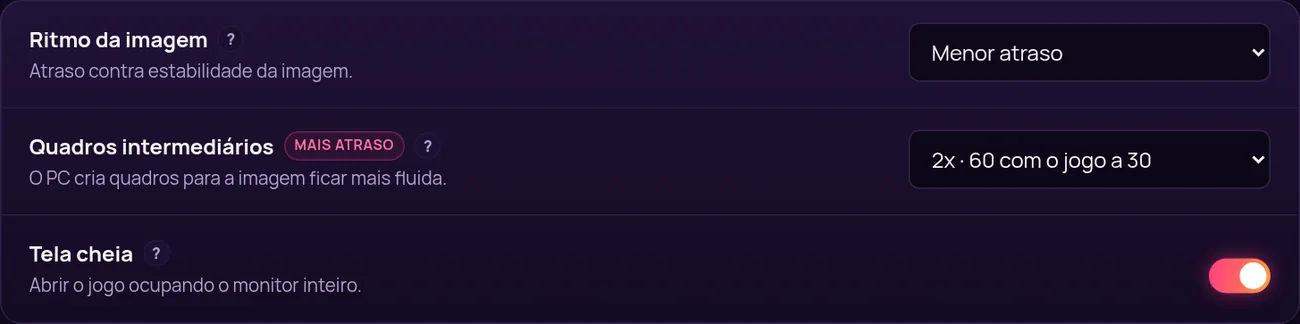
Smoothness
Frame generation creates in-between frames: 60, 90 or 120 frames per second with the game at 30. In exchange, response gets about 17, 22 or 25 ms slower, and you decide if it is worth it.
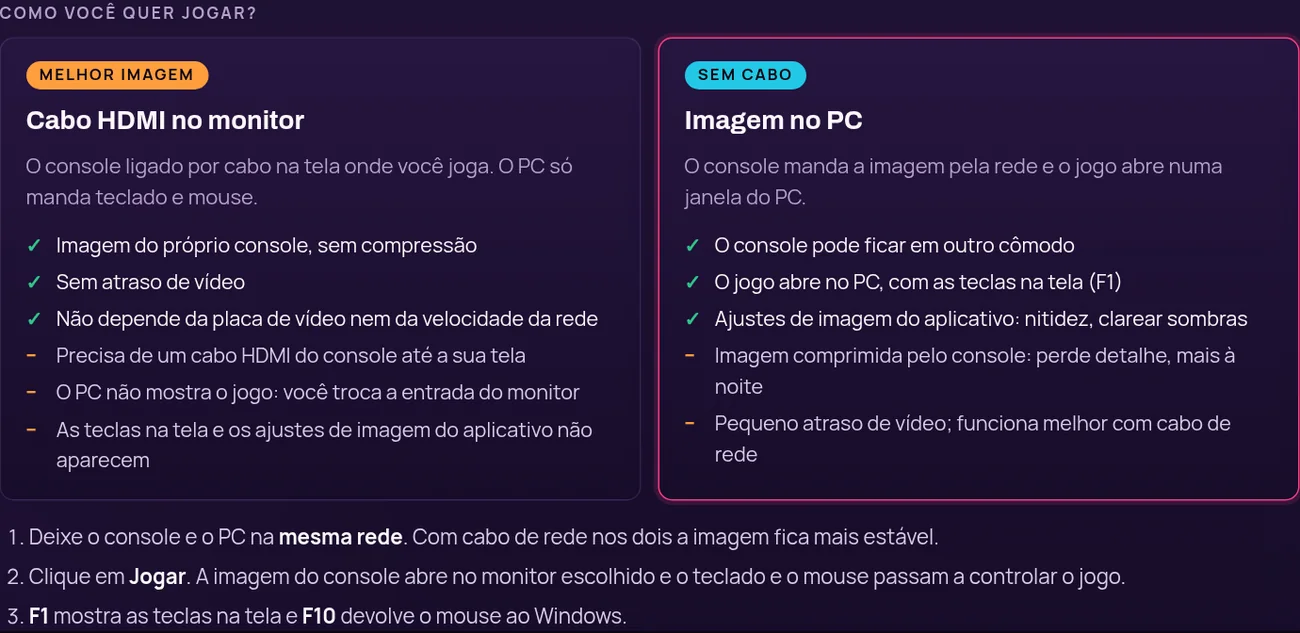
Your way
Plug the console into your monitor with HDMI for the console's own picture with no delay, or get the picture over the network in a PC window, no cable.
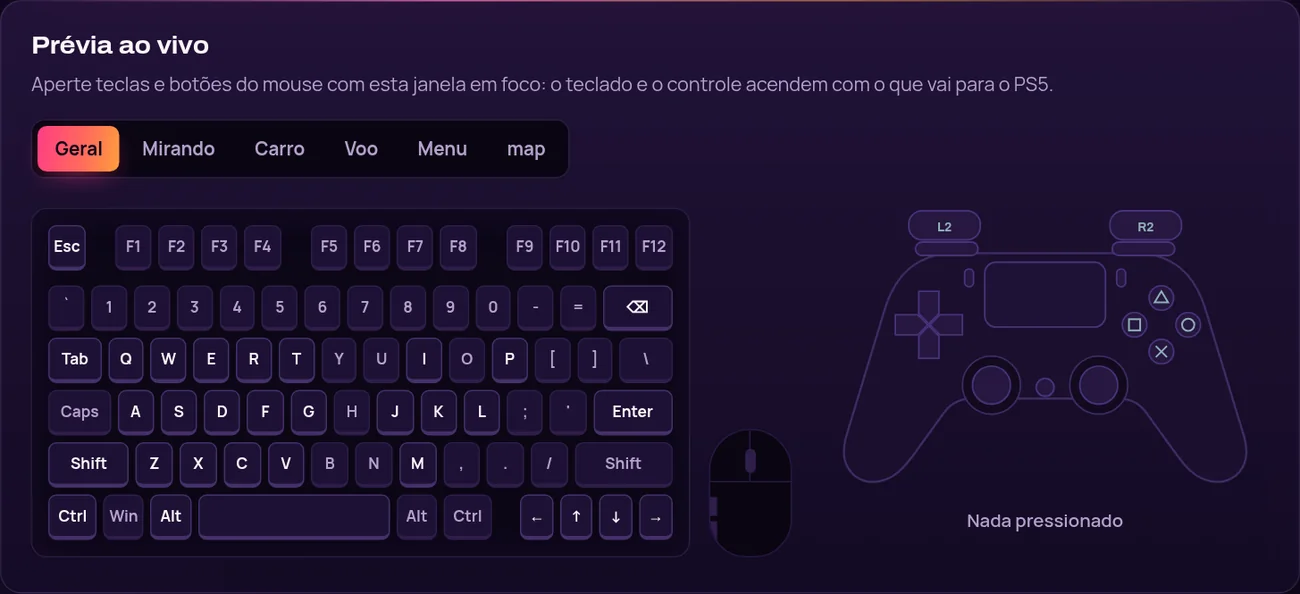
Setup
Click a key and press the new one. While you test, the drawn keyboard and controller light up with what goes to the console.
由我們團隊錄製的 Console no PC 實際運作影片。
Como configurar
依主機、型號、遊戲和版本搜尋。只有附上已發布測試的項目,才會標為已確認。

PlayStation 5

PlayStation 5

PlayStation 5

PlayStation 5

PlayStation 5

PlayStation 5
四個步驟。第三步最花時間,而且只做一次。

依你想玩多久挑一個方案,用你的幣別線上付款。

授權金鑰會寄到你的電子郵件,也會留在「我的主機」裡。

下載 Windows 應用程式、輸入金鑰,照設定指南走一遍。

在相容性資料庫確認你的主機和遊戲,然後開始玩。
一個產品,四種時間長度。每個方案都含更新、支援和「我的主機」入口。
一組金鑰可用於兩台 Windows 電腦,效期 30 天。
原價: US$10.99Desconto lançamento · 折扣 10%
活動價: US$9.89
每天每個存取 US$0.16
活動於 2026年11月23日 結束。
推薦
完整一個月,夠你設定好、調整按鍵和滑鼠,照自己的步調玩。
US$8.99
每天每個存取 US$0.30
一組金鑰用滿一年,不用每隔幾個月再買一次。
US$20.99
每天每個存取 US$0.01
Renews automatically by card, or by a new Pix before each period ends. Cancel any time.
比較所有方案