









Купить доступ

Твоя консоль.Твои правила.

Официальное демоСмотреть демоОткрыть Демо-центр

То, как ты играешь, скоро изменится.

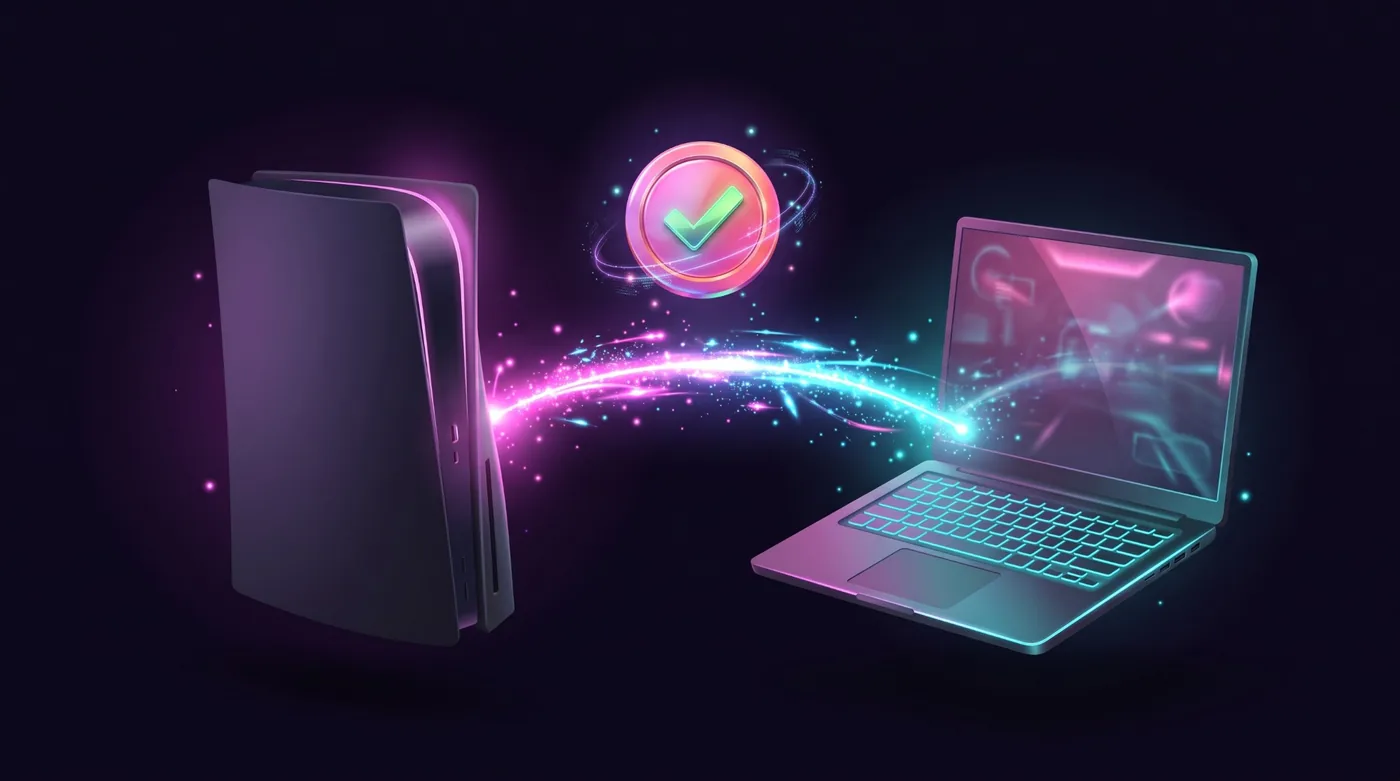
Новый способ играть в консольные игры — клавиатурой и мышью.

Для консолей PlayStation и XboxСовместимость подтверждается для каждой консоли и каждой игры. Сначала проверь свою.

Попробуй. Нажми W, A, S, D и подвигай мышью.

Листай

Much more than keyboard and mouse.

The app has grown. These are the features you use today, shown with the app's own screens.

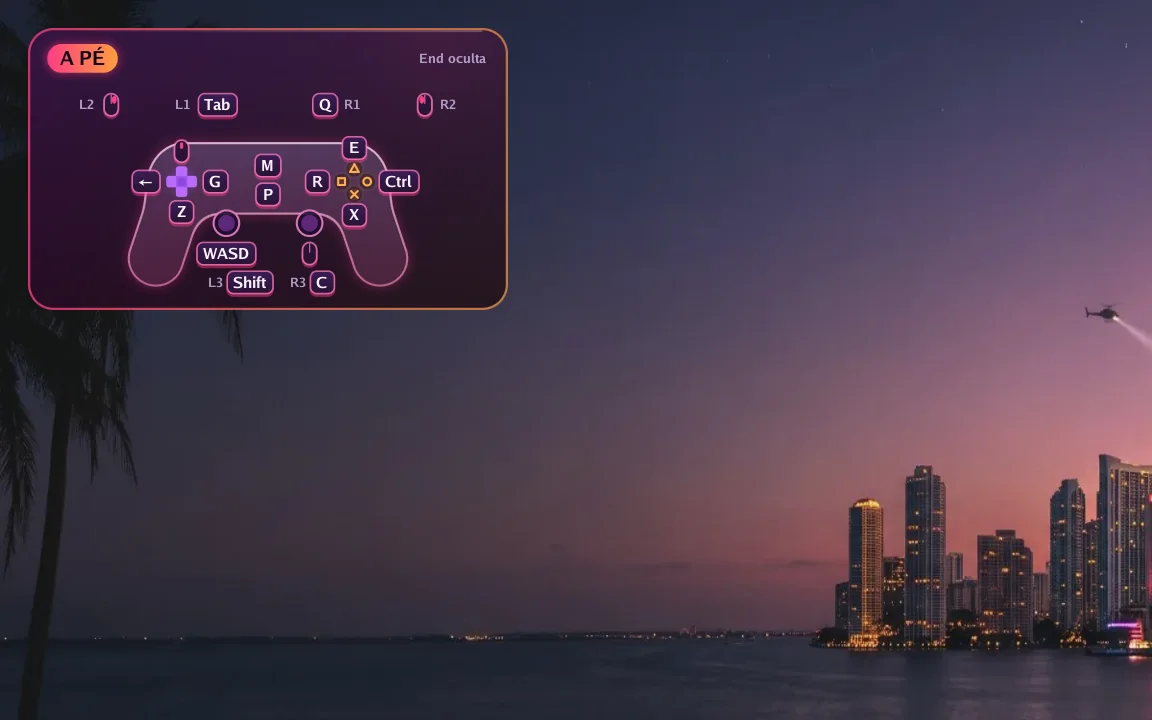
  1. The app's real interface over an example scene.

    In game

    The controller on screen, always right

    A small controller in the corner shows which key does each button right now. Hold F1 to see every key and press End to hide it.

    • Changes with the game situation
    • Notices and tips show over the picture
    • Can be turned off in Preferences
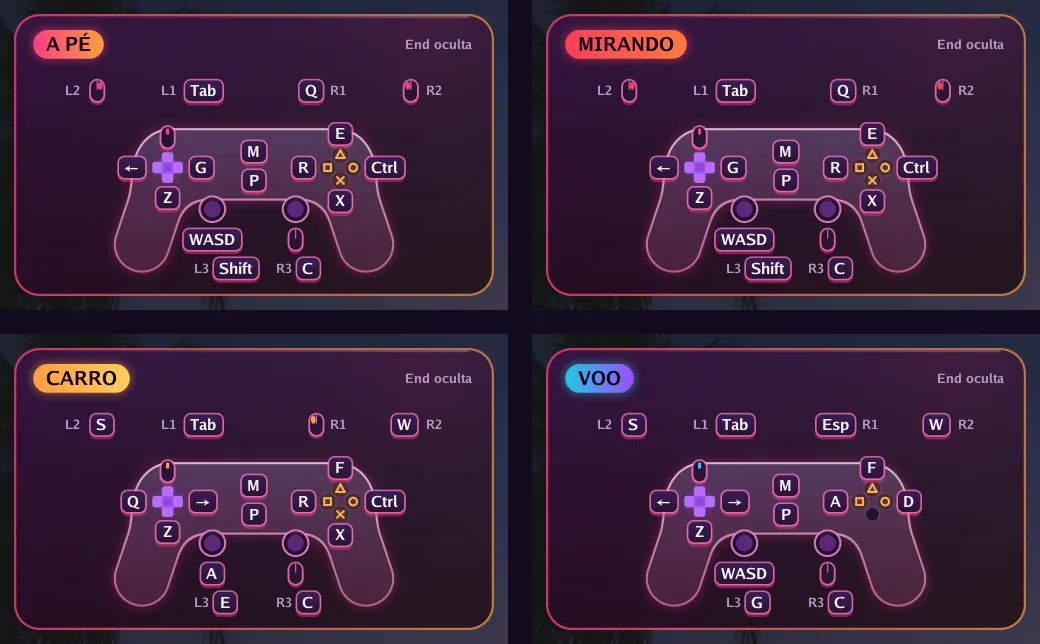
  2. The app's real interface over an example scene.

    Automatic switching

    Got in a car? The keys change by themselves

    On foot, aiming, driving, flying or in a menu: each situation has its own keys, and the app switches on its own. In GTA VI it reads the controller's own signals to know when you get in or out of a vehicle.

    • F6 to F9 correct it at once if needed
    • Works in the 66 games with a ready profile and in GTA VI
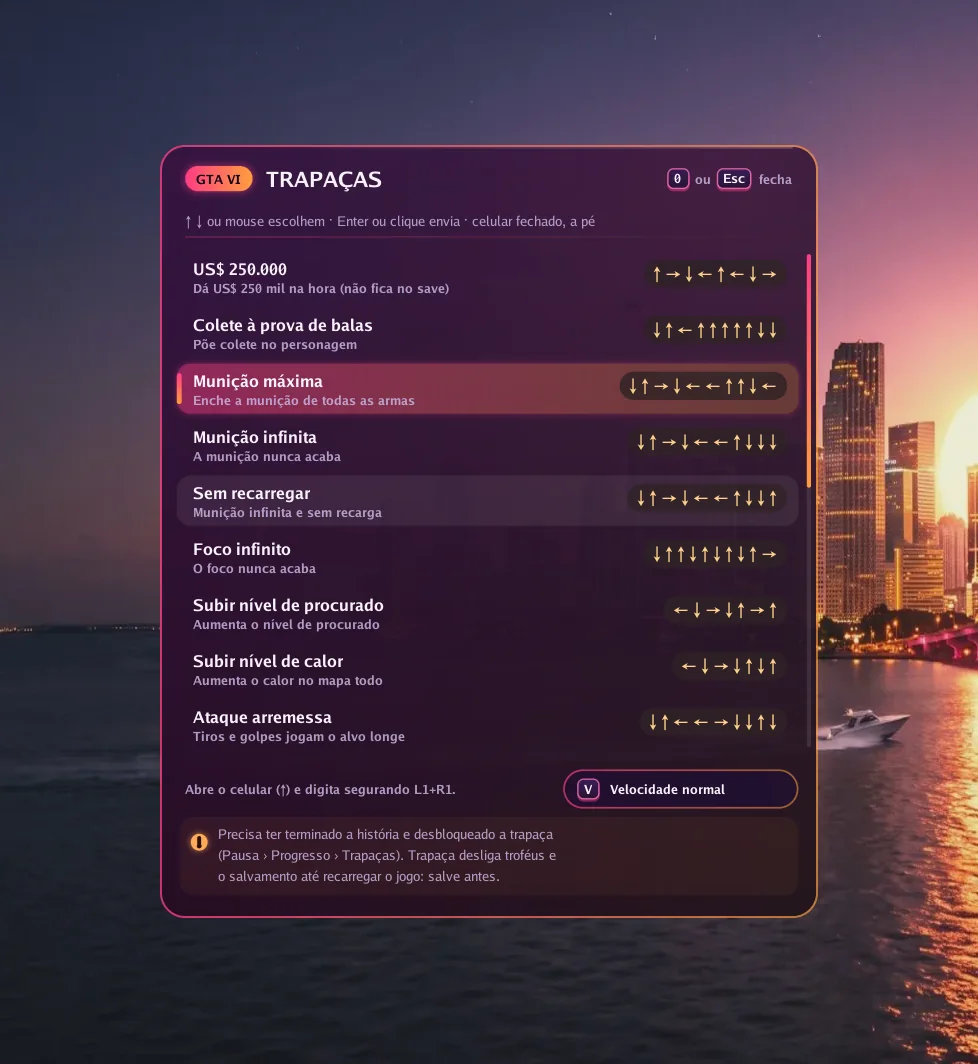
  3. The app's real interface over an example scene.

    GTA VI

    Cheats with one key

    Press 0 in game, pick one of 19 cheats and the app types the button sequence for you, at normal or slow speed.

    • The cheat must be unlocked in the game
    • Needs the Enhanced picture option on
  4. Picture

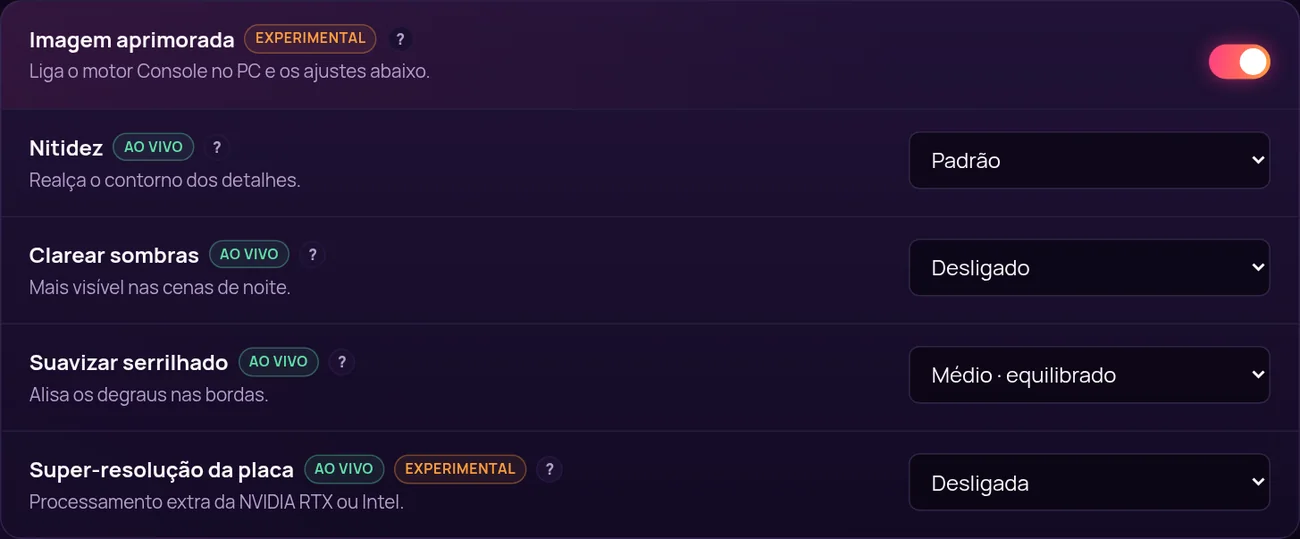
    A sharper picture, tuned live

    With Enhanced picture on, the app uses its own image engine and unlocks settings that change instantly, with the game open.

    • Sharpness, lift shadows and anti-aliasing
    • Graphics card super resolution (NVIDIA RTX or Intel)
    • 10-bit colour and H.265 video
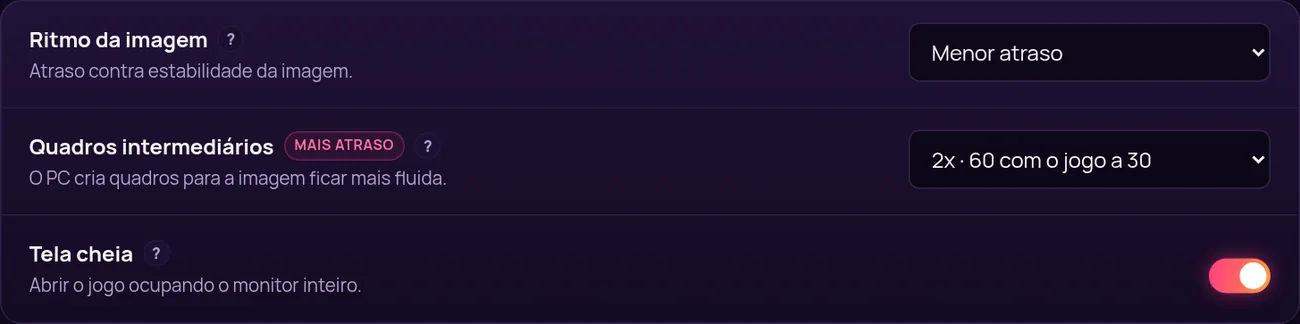
  5. Smoothness

    More frames per second

    Frame generation creates in-between frames: 60, 90 or 120 frames per second with the game at 30. In exchange, response gets about 17, 22 or 25 ms slower, and you decide if it is worth it.

    • 2x, 3x or 4x
    • Frame pacing: lowest delay, balanced or smoother
    • Full screen or window, on the monitor you choose
  6. Your way

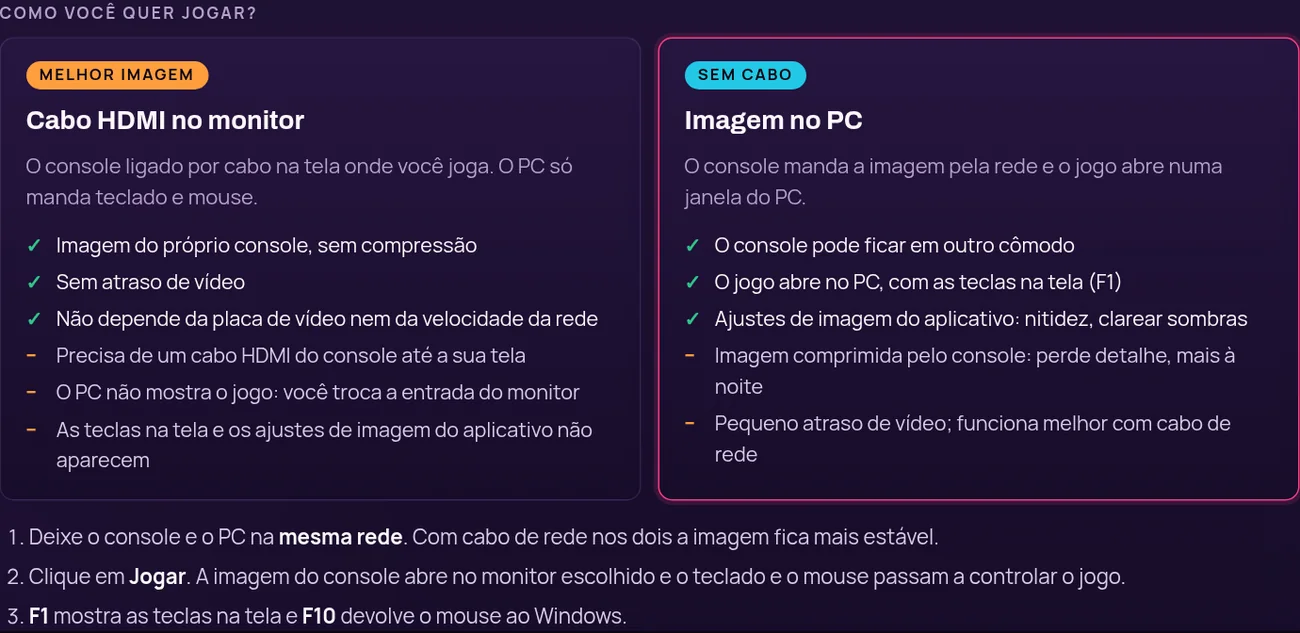
    HDMI cable or picture on the PC

    Plug the console into your monitor with HDMI for the console's own picture with no delay, or get the picture over the network in a PC window, no cable.

    • Resolution up to 1080p, 30 or 60 frames
    • Bitrate up to 100 Mbps
  7. Setup

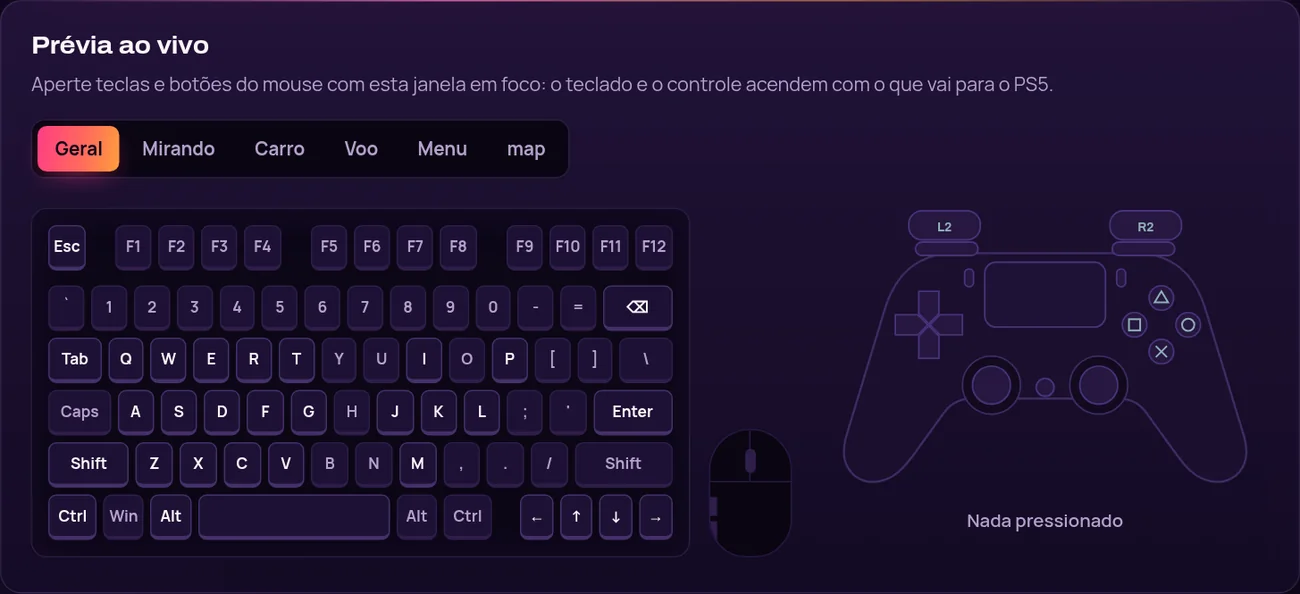
    Your keys, with a live preview

    Click a key and press the new one. While you test, the drawn keyboard and controller light up with what goes to the console.

    • Separate mouse and aim sensitivity
    • Restore defaults at any time

And also

  • Finds the PS5 or Xbox on the network by itself
  • PS5 pairing by PSN name
  • Xbox with your Microsoft account, no password in the app
  • Updates itself and keeps your KEY and settings
  • Windows installer with shortcuts
  • F10 turns control on and off at any time

Увидь разницу. Посмотри, как работает.

Видео работы Console no PC, записанные нашей командой.

Узнай, прежде чем играть.

Ищи по консоли, модели, игре и версии. Строка помечается подтверждённой только тогда, когда к ней приложен опубликованный тест.

Открыть базу совместимости

От покупки до первого нажатия клавиши.

Четыре шага. Третий самый долгий, и он делается один раз.

  1. Выбери доступ

    Выбери план по тому, сколько хочешь играть. Оплати онлайн в своей валюте.

  2. Получи ключ

    Лицензионный ключ приходит на почту и остаётся в твоём портале «Моя консоль».

  3. Установи и активируй

    Скачай приложение для Windows, введи ключ и пройди руководство по настройке.

  4. Проверь, подключи, играй

    Подтверди свою консоль и игру в базе совместимости, а потом играй.

Видео по настройке

Выбери свой доступ.

Один продукт, четыре срока. В каждый план входят обновления, поддержка и портал «Моя консоль».

  • DUO - 2 доступа, 30 дней

    Один ключ для двух ПК с Windows на 30 дней.

    Обычная цена: 10,99 $Desconto lançamento · −10%

    Цена по акции: 9,89 $

    0,16 $ в день за доступ

    Акция заканчивается 23 ноября 2026 г..

    • Дней доступа: 30
    • Вся программа, без урезанных функций
    • Обновления в течение 30 дней
    • Поддержка через тикеты
  • Рекомендуем

    30 дней

    Полный месяц, чтобы всё настроить, подобрать клавиши и мышь и играть в своём темпе.

    8,99 $

    0,30 $ в день за доступ

    • Дней доступа: 30
    • Вся программа, без урезанных функций
    • Обновления, выпущенные за эти 30 дней
    • Поддержка через тикеты
  • 365 дней

    Полный год на одном ключе, без покупки заново каждые пару месяцев.

    20,99 $

    0,01 $ в день за доступ

    • Дней доступа: 3650
    • Вся программа, без урезанных функций
    • Обновления, выпущенные за эти 365 дней
    • Поддержка через тикеты

Renews automatically by card, or by a new Pix before each period ends. Cancel any time.

Сравнить все планы

Твоя консоль. Твоя клавиатура. Твои правила.