

DUO - 2アクセス・30日
Windows PC 2台で使える1つのキー、30日間。
通常価格: $10.99Desconto lançamento · 10% オフ
キャンペーン価格: $9.89
1 日・1 アクセスあたり $0.16
キャンペーンは 2026年11月23日 に終了します。
- 30 日間のアクセス
- 機能を制限しない完全版のソフトウェア
- 30日間のアップデート
- チケットによるサポート

 公式デモ実機デモを見るデモセンターを開く
遊び方が変わります。
コンシューマー機のゲームを、キーボードとマウスで遊ぶ新しいかたち。
PlayStation と Xbox 向け対応状況は本体ごと、ゲームごとに確認します。まず自分の環境を確認してください。
試してください。W、A、S、D を押してマウスを動かす。
The app has grown. These are the features you use today, shown with the app's own screens.
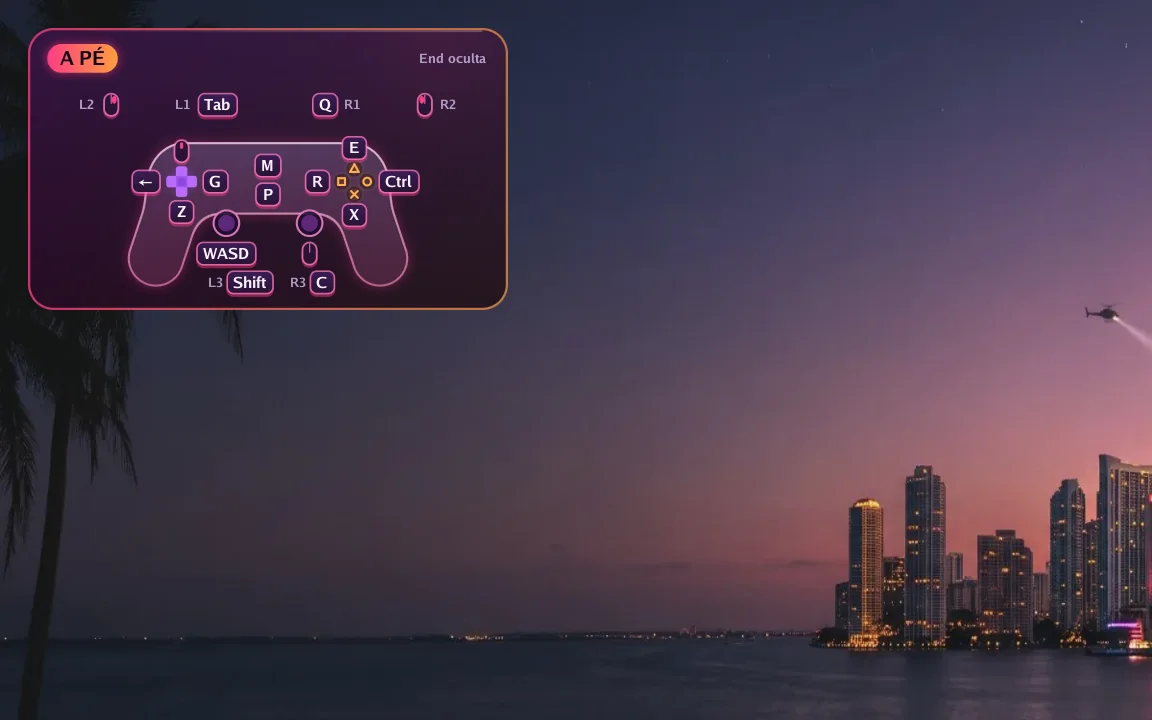
In game
A small controller in the corner shows which key does each button right now. Hold F1 to see every key and press End to hide it.
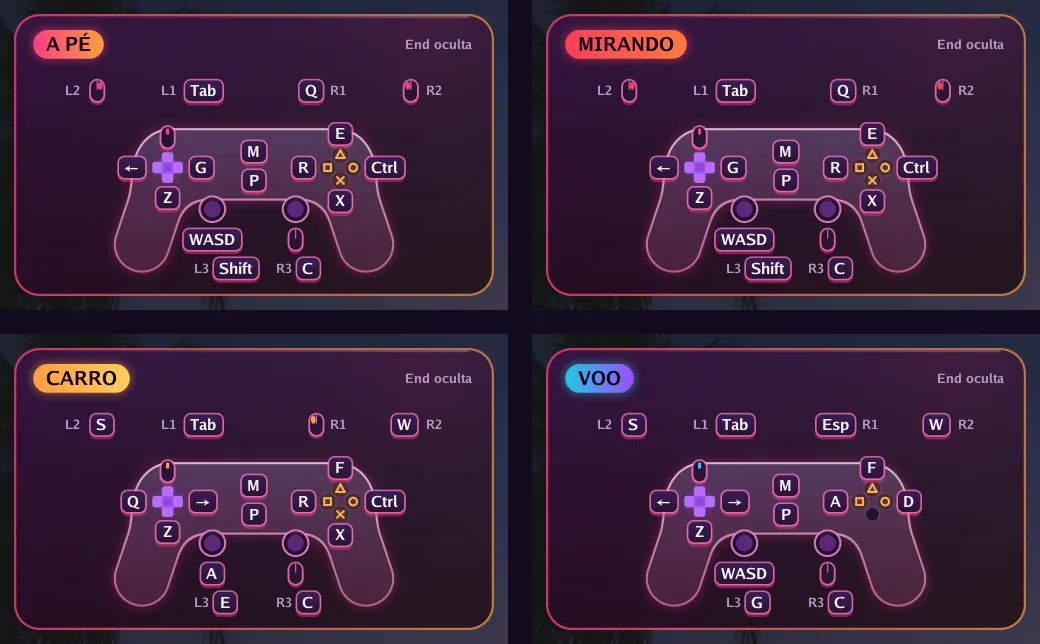
Automatic switching
On foot, aiming, driving, flying or in a menu: each situation has its own keys, and the app switches on its own. In GTA VI it reads the controller's own signals to know when you get in or out of a vehicle.
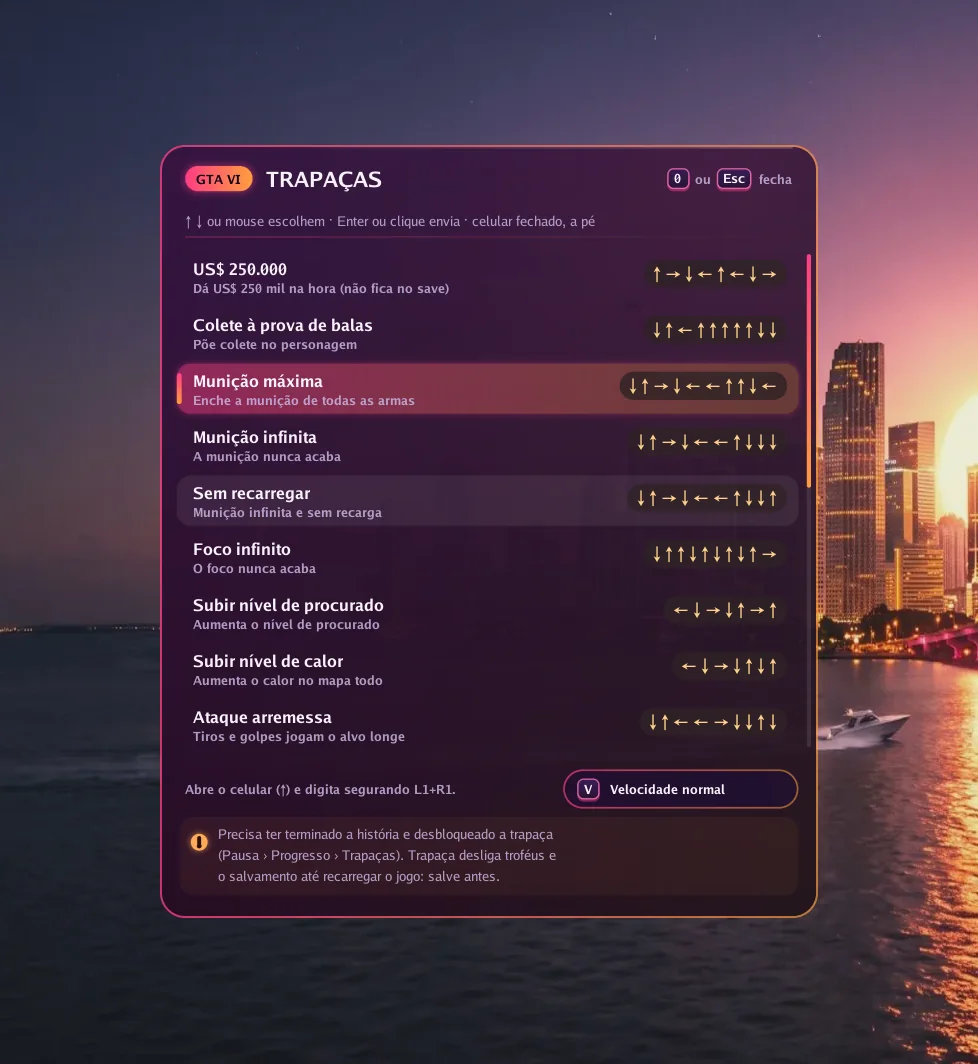
GTA VI
Press 0 in game, pick one of 19 cheats and the app types the button sequence for you, at normal or slow speed.
Picture
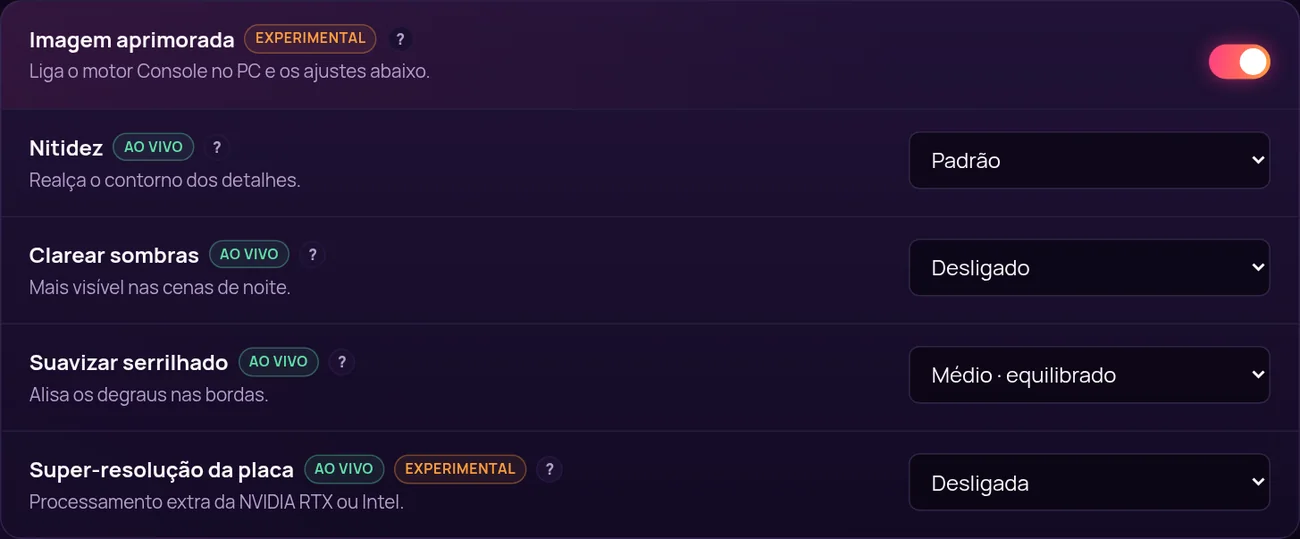
With Enhanced picture on, the app uses its own image engine and unlocks settings that change instantly, with the game open.
Smoothness
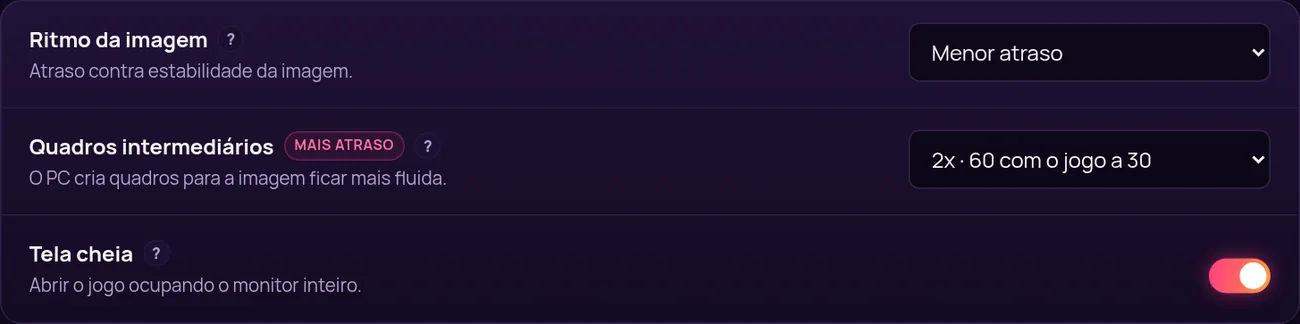
Frame generation creates in-between frames: 60, 90 or 120 frames per second with the game at 30. In exchange, response gets about 17, 22 or 25 ms slower, and you decide if it is worth it.
Your way
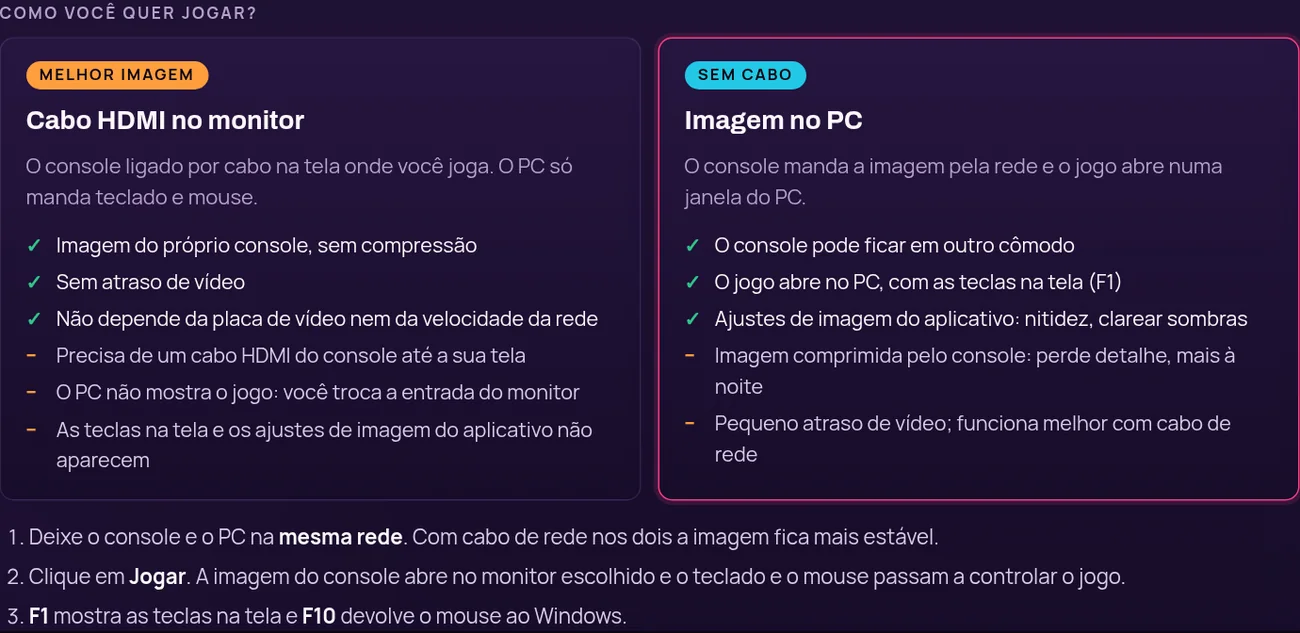
Plug the console into your monitor with HDMI for the console's own picture with no delay, or get the picture over the network in a PC window, no cable.
Setup
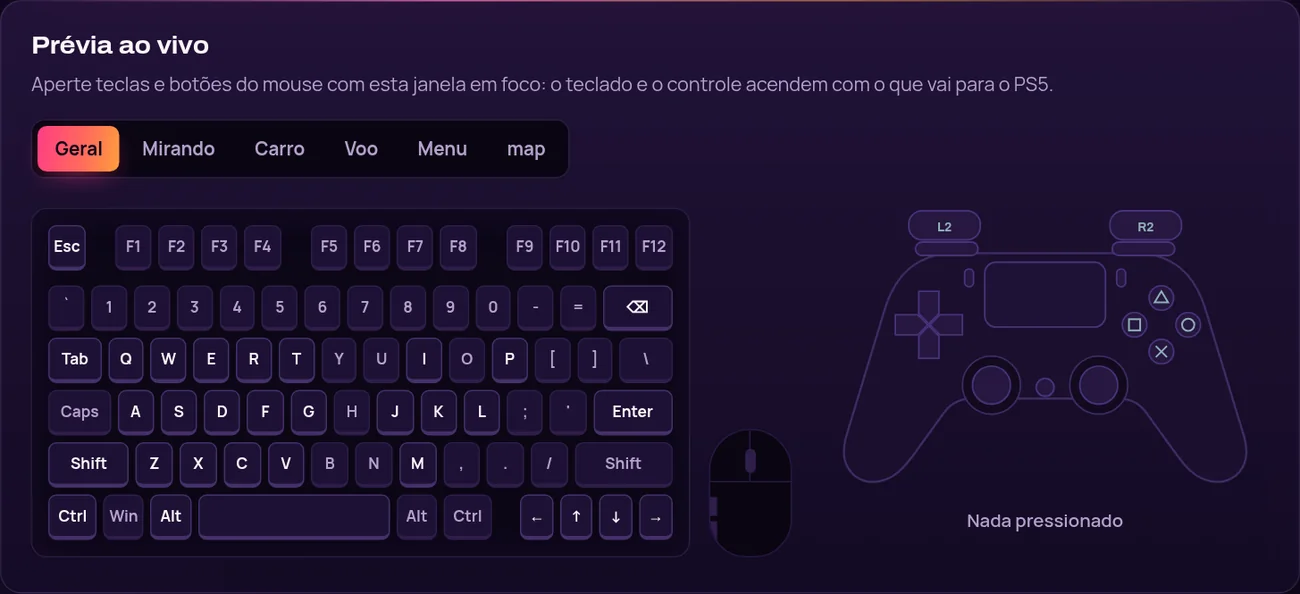
Click a key and press the new one. While you test, the drawn keyboard and controller light up with what goes to the console.
当チームが収録した、Console no PC が動作している様子の動画です。
Como configurar
本体、モデル、ゲーム、バージョンで検索できます。公開済みのテストが添付された行だけが確認済みになります。

PlayStation 5

PlayStation 5

PlayStation 5

PlayStation 5

PlayStation 5

PlayStation 5
4 ステップ。3 番目がいちばん時間がかかりますが、やるのは一度だけです。

遊びたい期間でプランを選びます。支払いは自分の通貨でオンラインで。

ライセンスキーはメールで届き、マイコンソールにも残ります。

Windows 版アプリをダウンロードし、キーを入力してセットアップガイドに従います。

対応状況データベースで本体とゲームを確認してから遊びます。
製品はひとつ、期間は 4 種類。どのプランにも更新、サポート、マイコンソールが含まれます。
Windows PC 2台で使える1つのキー、30日間。
通常価格: $10.99Desconto lançamento · 10% オフ
キャンペーン価格: $9.89
1 日・1 アクセスあたり $0.16
キャンペーンは 2026年11月23日 に終了します。
おすすめ
設定を整え、キーとマウスを調整し、自分のペースで遊ぶための 1 か月です。
$8.99
1 日・1 アクセスあたり $0.30
数か月ごとに買い直さずに済む、キー 1 本で 1 年です。
$20.99
1 日・1 アクセスあたり $0.01
Renews automatically by card, or by a new Pix before each period ends. Cancel any time.
全プランを比較