


DUO - 2 个访问,30 天
一个密钥可用于两台 Windows 电脑,有效期 30 天。
原价: US$10.99Desconto lançamento · 省 10%
活动价: US$9.89
每天每个访问 US$0.16
活动于 2026年11月23日 结束。
- 30 天使用期
- 完整软件,不留一手
- 30 天内的更新
- 工单支持

The app has grown. These are the features you use today, shown with the app's own screens.
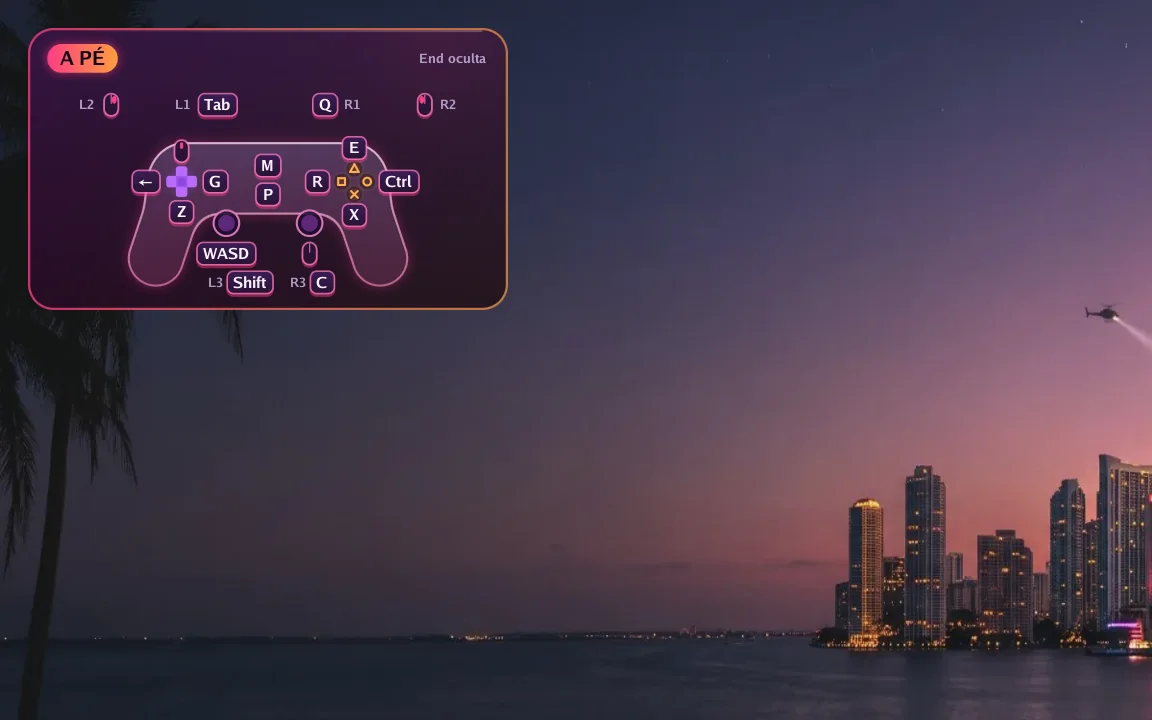
In game
A small controller in the corner shows which key does each button right now. Hold F1 to see every key and press End to hide it.
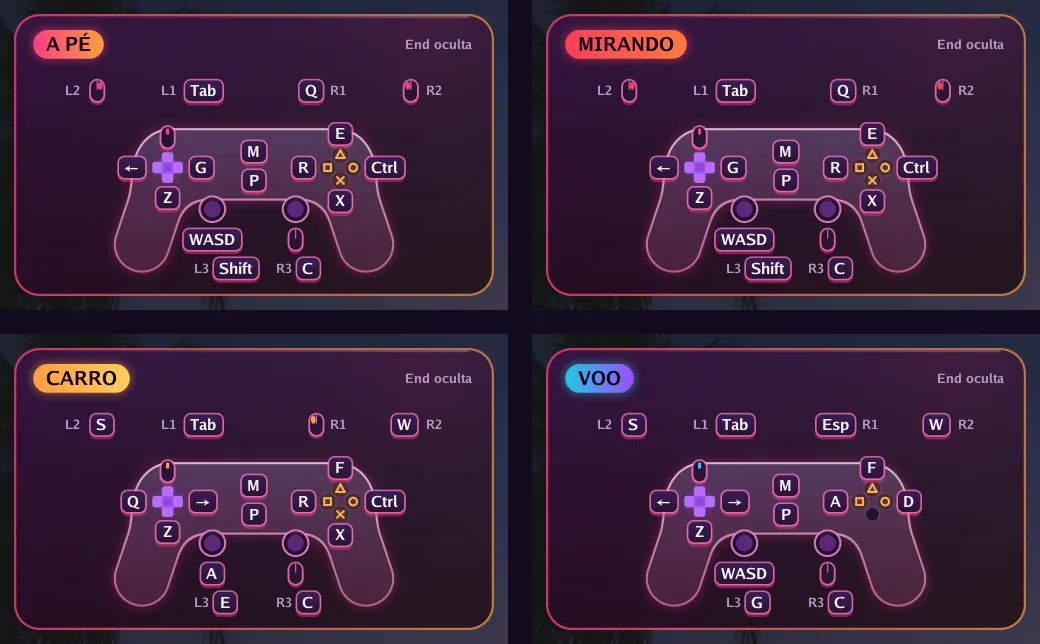
Automatic switching
On foot, aiming, driving, flying or in a menu: each situation has its own keys, and the app switches on its own. In GTA VI it reads the controller's own signals to know when you get in or out of a vehicle.
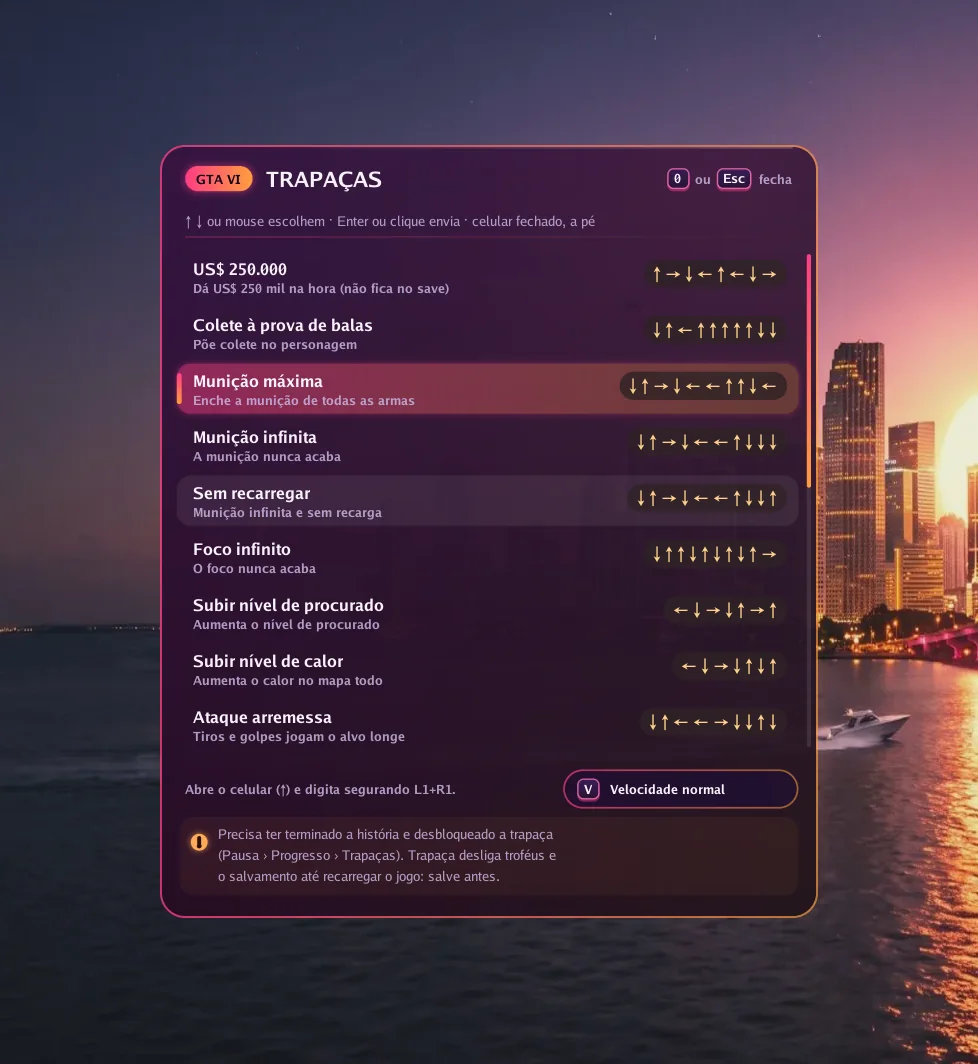
GTA VI
Press 0 in game, pick one of 19 cheats and the app types the button sequence for you, at normal or slow speed.
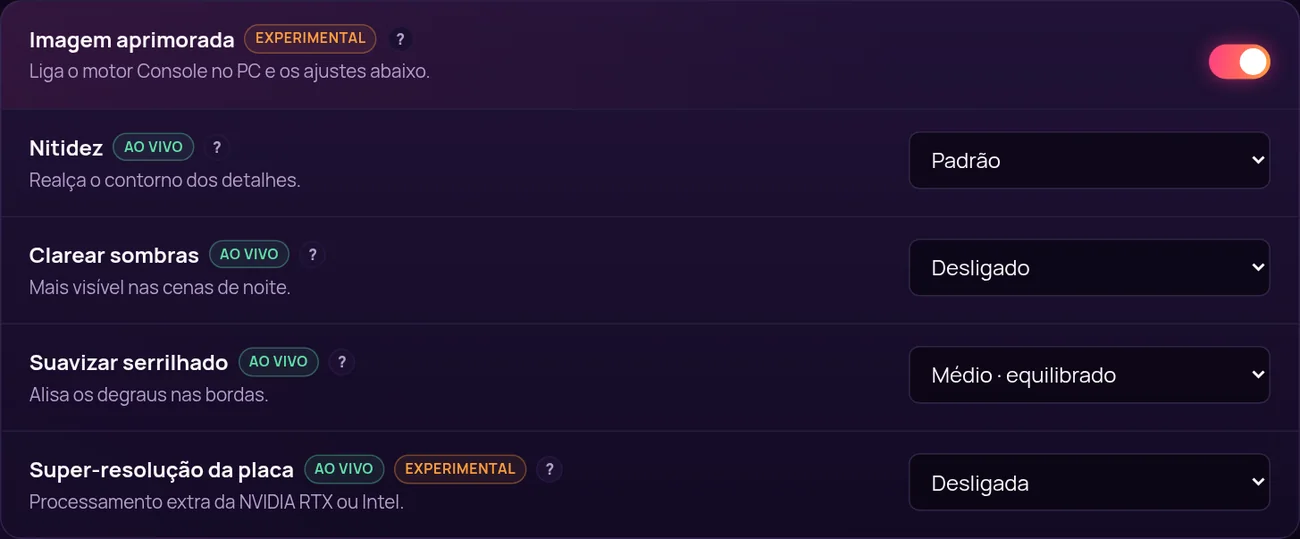
Picture
With Enhanced picture on, the app uses its own image engine and unlocks settings that change instantly, with the game open.
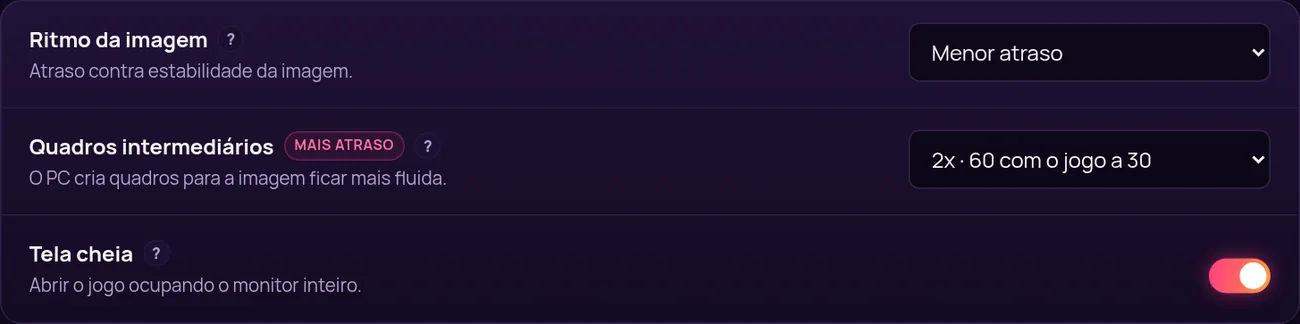
Smoothness
Frame generation creates in-between frames: 60, 90 or 120 frames per second with the game at 30. In exchange, response gets about 17, 22 or 25 ms slower, and you decide if it is worth it.
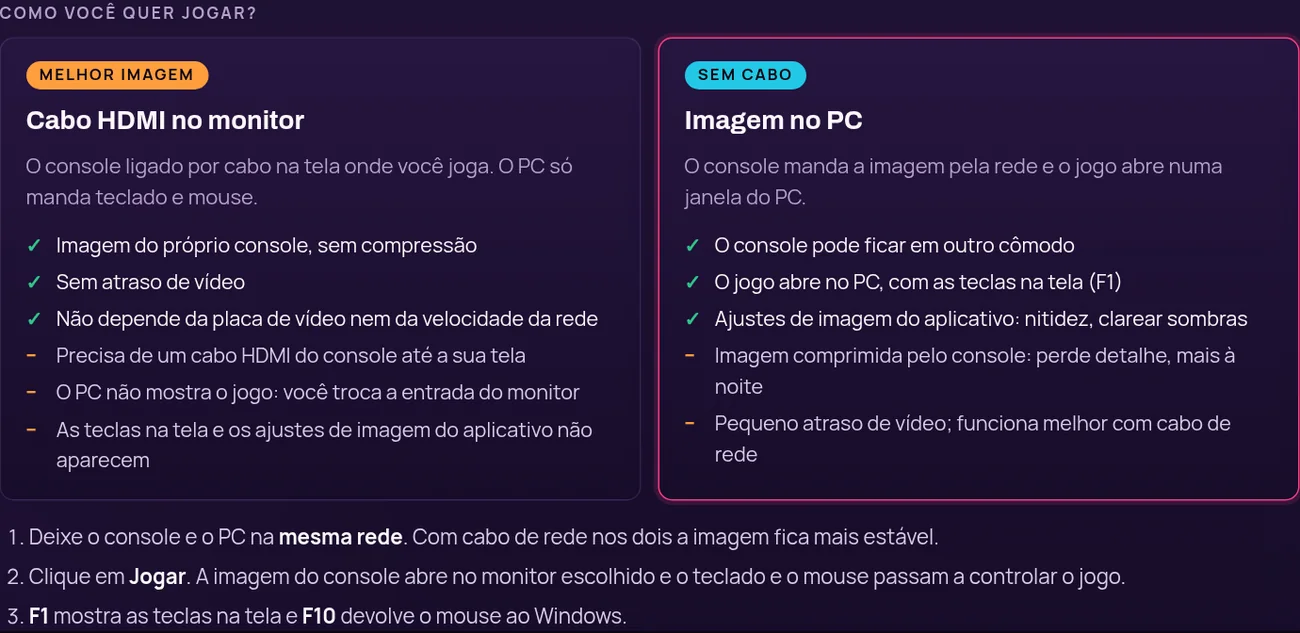
Your way
Plug the console into your monitor with HDMI for the console's own picture with no delay, or get the picture over the network in a PC window, no cable.
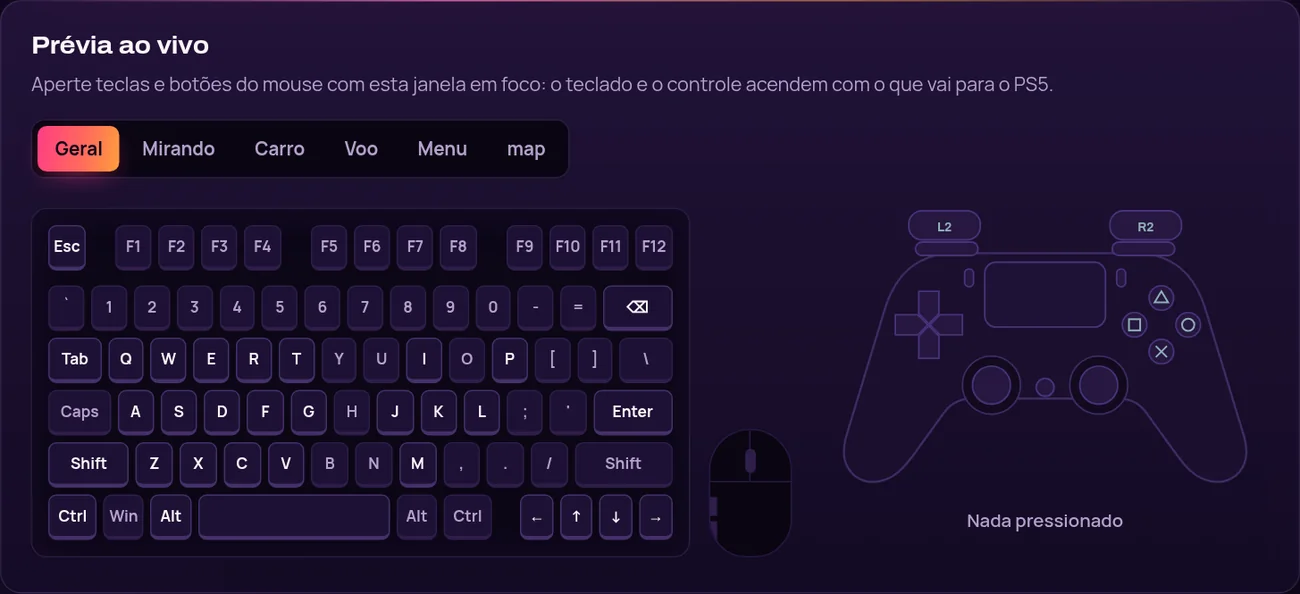
Setup
Click a key and press the new one. While you test, the drawn keyboard and controller light up with what goes to the console.
由我们团队录制的 Console no PC 实际运行视频。
Como configurar
按主机、型号、游戏和版本查询。只有附上了已发布的测试,一行才会标为已确认。

PlayStation 5

PlayStation 5

PlayStation 5

PlayStation 5

PlayStation 5

PlayStation 5
四步。第三步最花时间,而且只做一次。

按想玩多久挑一个方案,用你的货币在线支付。

授权密钥会发到你的邮箱,也会留在“我的主机”门户里。

下载 Windows 应用,输入密钥,按设置指引走一遍。

在兼容性数据库里确认你的主机和游戏,然后开始玩。
一个产品,四种时长。每个方案都包含更新、支持,以及“我的主机”门户。
一个密钥可用于两台 Windows 电脑,有效期 30 天。
原价: US$10.99Desconto lançamento · 省 10%
活动价: US$9.89
每天每个访问 US$0.16
活动于 2026年11月23日 结束。
推荐
一整个月,够你装好、调好键位和鼠标,再按自己的节奏玩。
US$8.99
每天每个访问 US$0.30
一个密钥管一整年,不用每隔几个月再买一次。
US$20.99
每天每个访问 US$0.01
Renews automatically by card, or by a new Pix before each period ends. Cancel any time.
对比全部方案