







Quiero acceso

Tu consola.Tus reglas.

Demo oficialVer la demo realIr al Centro de Demos

Tu forma de jugar está por cambiar.

Prueba una nueva forma de jugar en tu consola, con teclado y mouse.

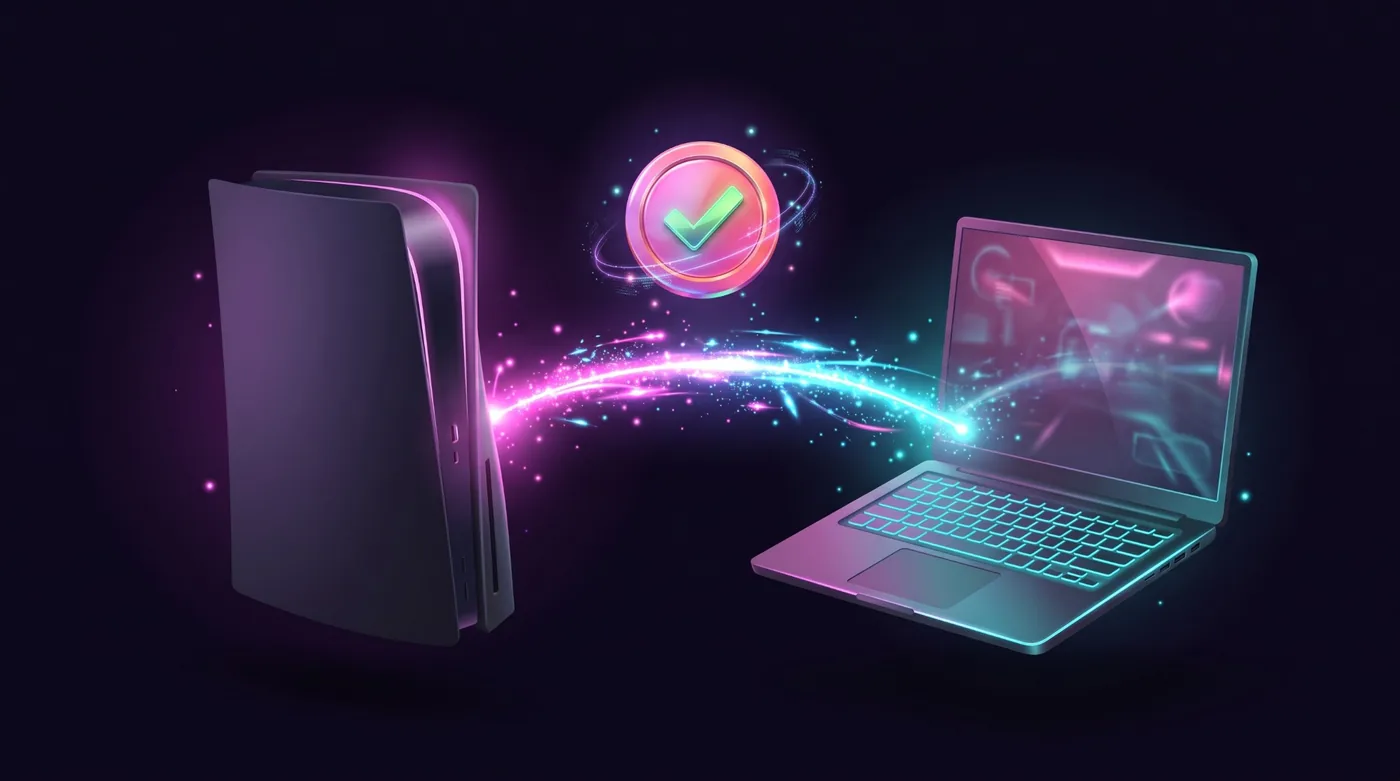
Para consolas PlayStation y XboxLa compatibilidad se confirma por consola y por juego. Revisa la tuya primero.

Pruébalo. Pulsa W, A, S, D y mueve el mouse.

Baja

Much more than keyboard and mouse.

The app has grown. These are the features you use today, shown with the app's own screens.

  1. The app's real interface over an example scene.

    In game

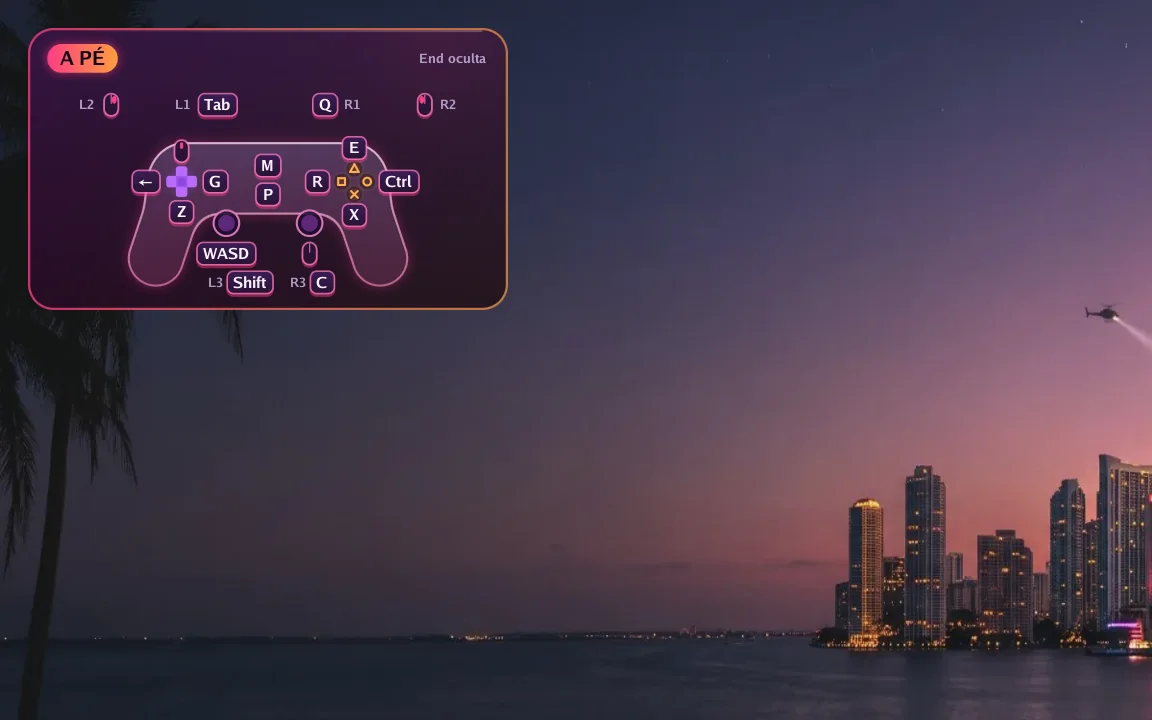
    The controller on screen, always right

    A small controller in the corner shows which key does each button right now. Hold F1 to see every key and press End to hide it.

    • Changes with the game situation
    • Notices and tips show over the picture
    • Can be turned off in Preferences
  2. The app's real interface over an example scene.

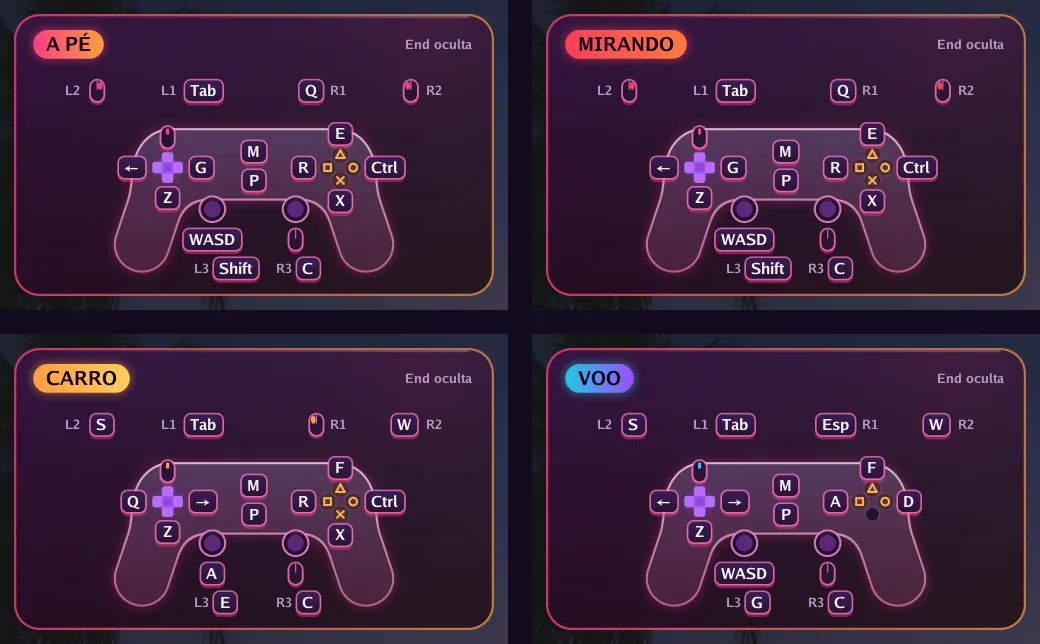
    Automatic switching

    Got in a car? The keys change by themselves

    On foot, aiming, driving, flying or in a menu: each situation has its own keys, and the app switches on its own. In GTA VI it reads the controller's own signals to know when you get in or out of a vehicle.

    • F6 to F9 correct it at once if needed
    • Works in the 66 games with a ready profile and in GTA VI
  3. The app's real interface over an example scene.

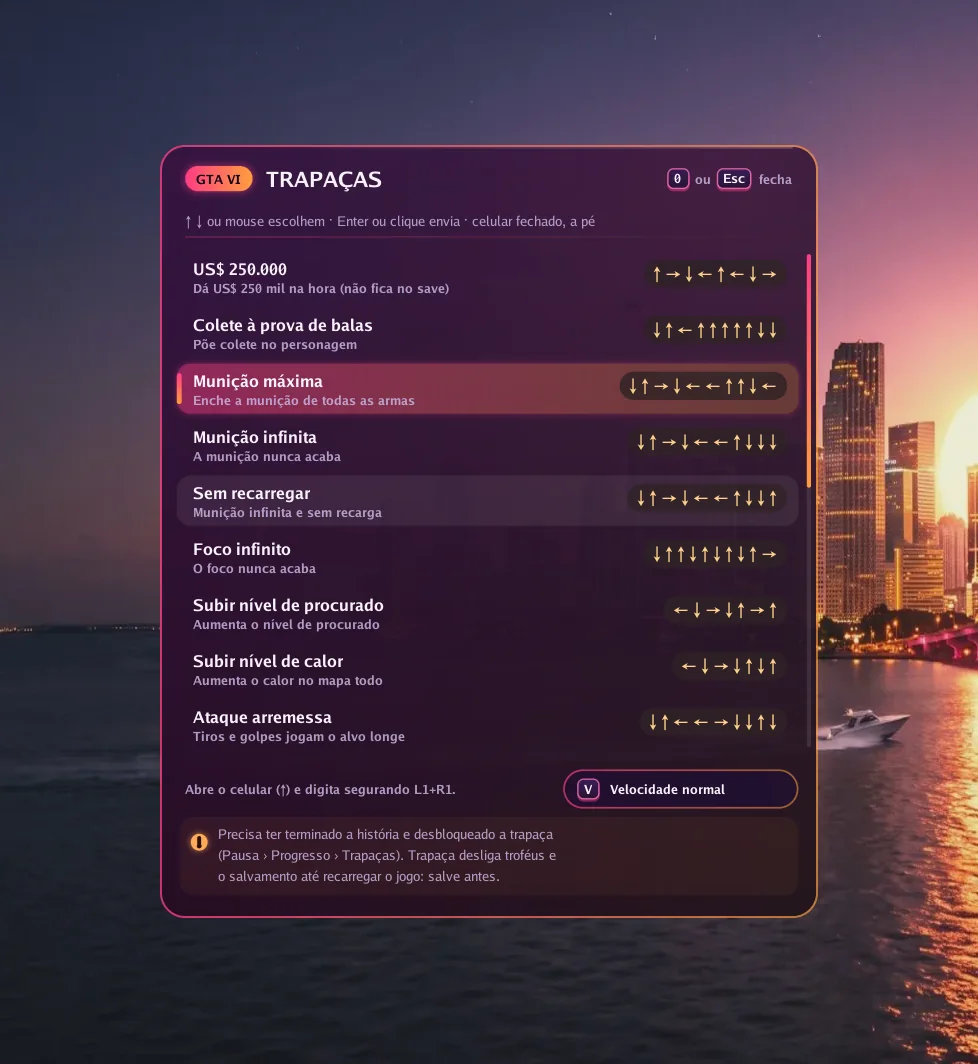
    GTA VI

    Cheats with one key

    Press 0 in game, pick one of 19 cheats and the app types the button sequence for you, at normal or slow speed.

    • The cheat must be unlocked in the game
    • Needs the Enhanced picture option on
  4. Picture

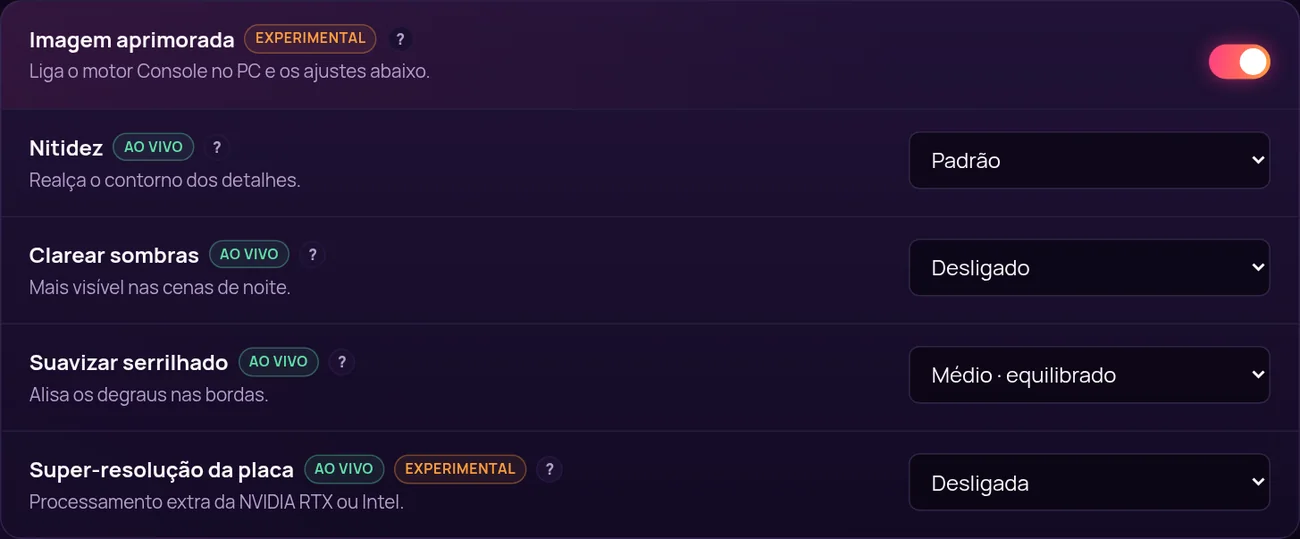
    A sharper picture, tuned live

    With Enhanced picture on, the app uses its own image engine and unlocks settings that change instantly, with the game open.

    • Sharpness, lift shadows and anti-aliasing
    • Graphics card super resolution (NVIDIA RTX or Intel)
    • 10-bit colour and H.265 video
  5. Smoothness

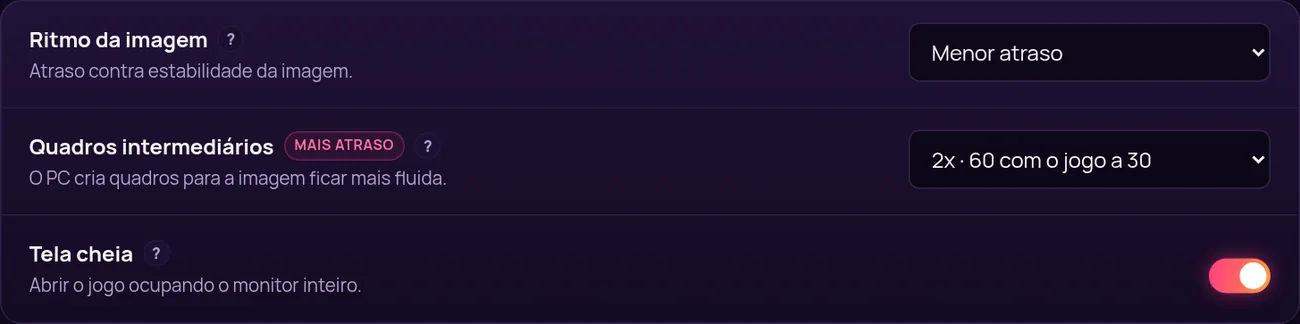
    More frames per second

    Frame generation creates in-between frames: 60, 90 or 120 frames per second with the game at 30. In exchange, response gets about 17, 22 or 25 ms slower, and you decide if it is worth it.

    • 2x, 3x or 4x
    • Frame pacing: lowest delay, balanced or smoother
    • Full screen or window, on the monitor you choose
  6. Your way

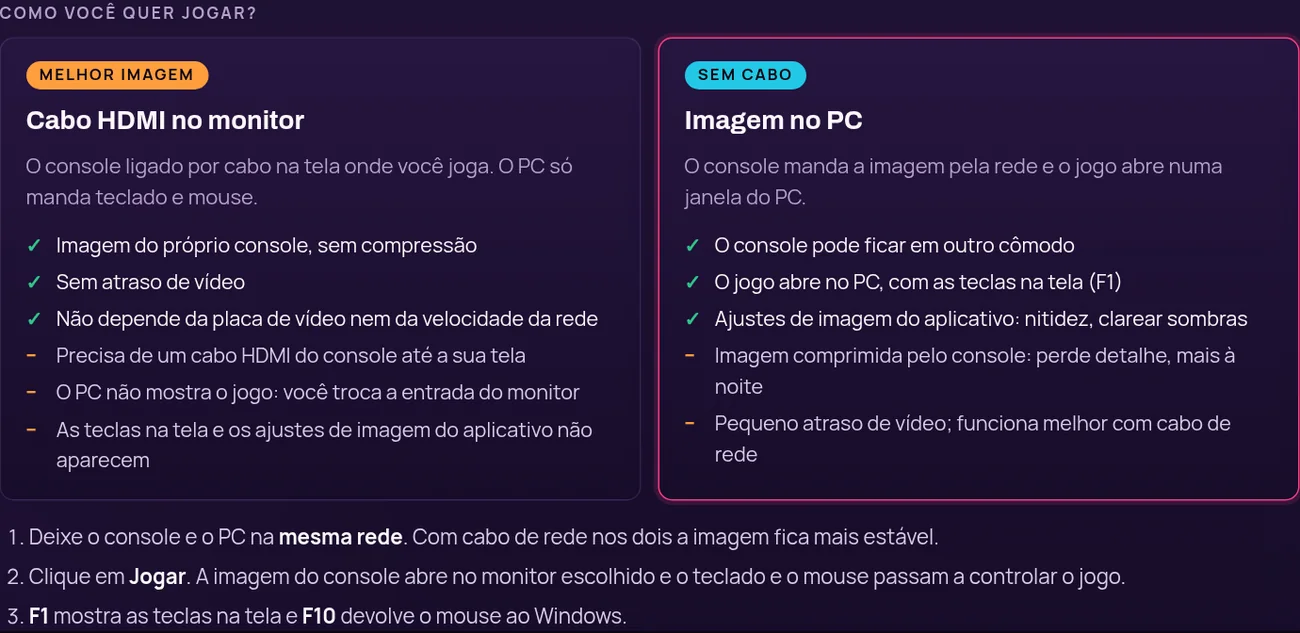
    HDMI cable or picture on the PC

    Plug the console into your monitor with HDMI for the console's own picture with no delay, or get the picture over the network in a PC window, no cable.

    • Resolution up to 1080p, 30 or 60 frames
    • Bitrate up to 100 Mbps
  7. Setup

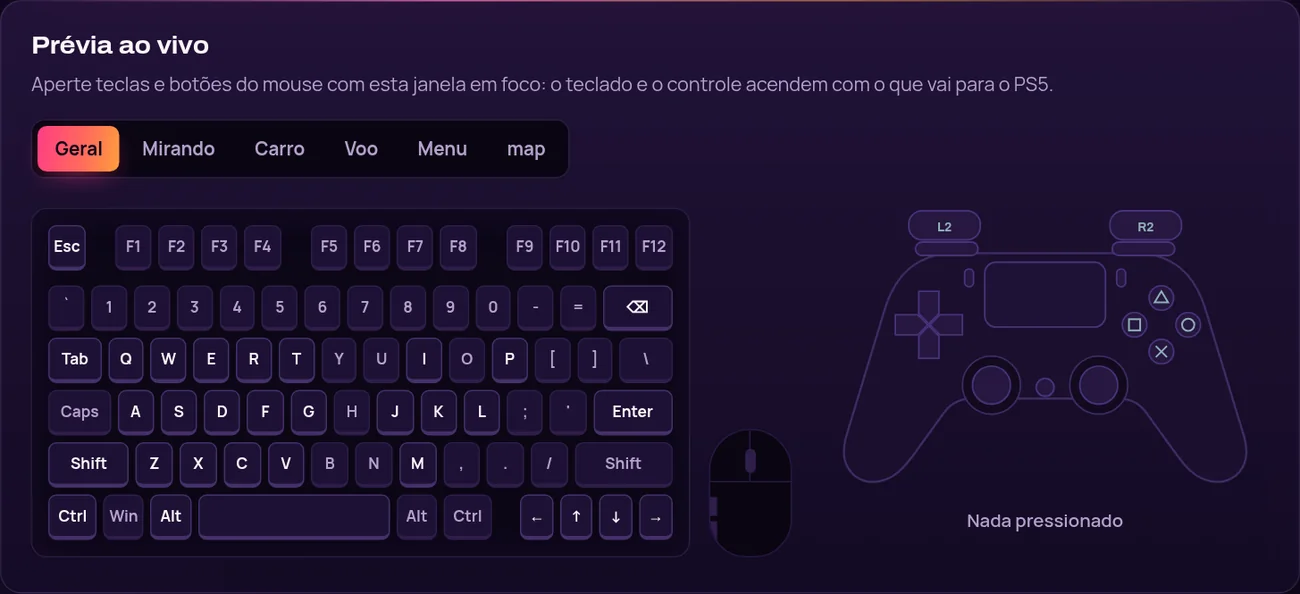
    Your keys, with a live preview

    Click a key and press the new one. While you test, the drawn keyboard and controller light up with what goes to the console.

    • Separate mouse and aim sensitivity
    • Restore defaults at any time

And also

  • Finds the PS5 or Xbox on the network by itself
  • PS5 pairing by PSN name
  • Xbox with your Microsoft account, no password in the app
  • Updates itself and keeps your KEY and settings
  • Windows installer with shortcuts
  • F10 turns control on and off at any time

Mira la diferencia. Velo funcionando.

Videos de Console no PC funcionando, grabados por nuestro equipo.

Averigua antes de jugar.

Busca por consola, modelo, juego y versión. Una fila se marca como confirmada solo cuando tiene una prueba publicada adjunta.

Abrir la base de compatibilidad

De la compra a la primera tecla.

Cuatro pasos. El tercero es el más largo, y solo lo haces una vez.

  1. Elige tu acceso

    Elige un plan según el tiempo que quieras jugar. Paga en línea en tu moneda.

  2. Recibe tu clave

    Tu clave de licencia llega por correo y queda guardada en tu portal Mi Consola.

  3. Instala y activa

    Descarga la aplicación para Windows, escribe la clave y sigue la guía de configuración.

  4. Revisa, conecta, juega

    Confirma tu consola y tu juego en la base de compatibilidad y juega.

Videos de configuración

Elige tu acceso.

Un producto, cuatro duraciones. Todos los planes incluyen actualizaciones, soporte y el portal Mi Consola.

  • DUO - 2 accesos, 30 días

    Una clave para dos PC con Windows, durante 30 días.

    Precio original: 10,99 US$Desconto lançamento · 10% de descuento

    Precio de campaña: 9,89 US$

    0,16 US$ por día por acceso

    La campaña termina el 23 de noviembre de 2026.

    • 30 días de acceso
    • El software completo, sin nada reservado
    • Actualizaciones durante los 30 días
    • Soporte por ticket
  • Recomendado

    30 días

    Un mes entero para configurar, ajustar tus teclas y tu mouse, y jugar a tu ritmo.

    8,99 US$

    0,30 US$ por día por acceso

    • 30 días de acceso
    • El software completo, sin nada reservado
    • Las actualizaciones publicadas durante los 30 días
    • Soporte por ticket
  • 365 días

    Un año entero en una sola clave, sin volver a comprar cada pocos meses.

    20,99 US$

    0,01 US$ por día por acceso

    • 3650 días de acceso
    • El software completo, sin nada reservado
    • Las actualizaciones publicadas durante los 365 días
    • Soporte por ticket

Renews automatically by card, or by a new Pix before each period ends. Cancel any time.

Comparar planes

Tu consola. Tu teclado. Tus reglas.